When your 2008 GMC Canyon exhibits computer faults, understanding repair procedures helps. Review symptoms, safety cautions, and expected results after installing a new module in your vehicle today.
Post
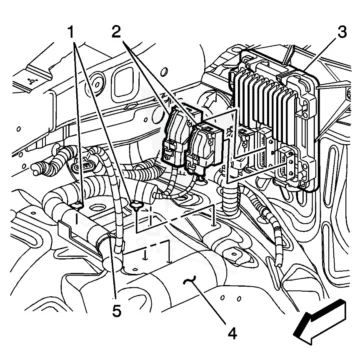

When your 2008 GMC Canyon exhibits computer faults, understanding repair procedures helps. Review symptoms, safety cautions, and expected results after installing a new module in your vehicle today.
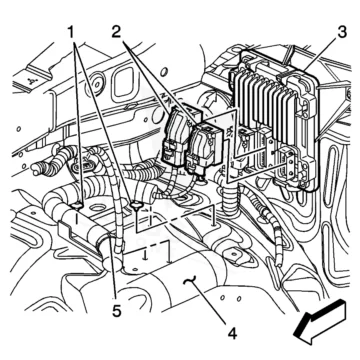
2011 GMC Canyon with no-start, stalling, or warning lights may need a PCM replacement. Learn symptoms, labor time, programming steps, and how to prevent damage to your vehicle’s engine computer.
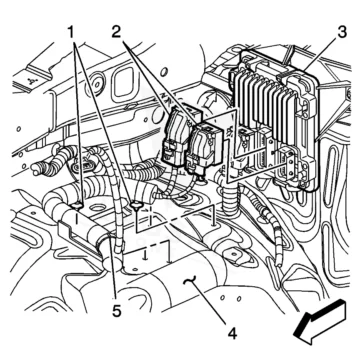
If your 2009 GMC Canyon shows PCM faults, avoid touching board pins, follow proper relearn steps, and expect restored performance after repair.
If the check engine light stays on in your 2020 GMC Canyon, beware of improper ECM handling; proper reset can restore performance and avoid further damage.
If your 2019 GMC Canyon stalls, won’t start, or logs internal control module codes, learn when to replace the ECM, labor times, and programming steps to restore reliable operation.
If your 2018 GMC Canyon shows no‑start or erratic performance, remember to turn the ignition off when handling ECM connectors; proper reprogramming restores function.
2017 GMC Canyon with stalling, no-start, or module codes? Learn ECM/PCM failure signs, labor times, and why proper programming prevents repeat issues in your Canyon.
2016 GMC Canyon with engine stalling, no-start, or control module codes? Learn ECM location, replacement labor times, programming steps, and symptoms to watch for.
Engine computer failure in your 2015 GMC Canyon can cause no-start, stalling, and check engine lights. Learn about replacement, programming, and your options.
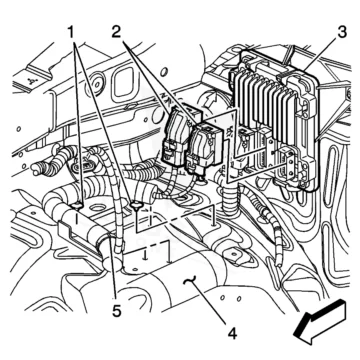
If your 2012 GMC Canyon shows intermittent no‑crank, MIL illumination or communication errors, avoid touching PCM pins and follow proper relearn steps to restore reliable operation.