
Last updated on August 25th, 2026 at 11:58 am
This computer manages fuel delivery and ignition timing within your 2013 Toyota Sequoia. Internal processor faults may trigger drivability issues or prevent the engine from starting. Understanding its role helps identify whether replacement or repair is the necessary path for restoring performance.
Dealing with engine management issues in your 2013 Toyota Sequoia often leads to questions about the central computer. You might notice performance drops or warning lights that suggest internal electronic failures. This guide explains the removal process, labor expectations, and programming requirements associated with this component. You will learn where the unit sits within the engine bay and what steps technicians take during replacement. Understanding these details helps you prepare for service visits or evaluate repair options confidently. We focus on factual labor times and access paths documented for this specific truck. Proper handling ensures the new unit communicates correctly with existing sensors. Your goal is restoring reliable operation without unnecessary complications during the service procedure.
The engine computer coordinates critical functions like ignition timing and fuel injection for your 2013 Toyota Sequoia. It processes data from various sensors to maintain optimal performance and emissions compliance. When this unit fails, the vehicle may experience stalling or refuse to start entirely. Technicians often recommend checking power and grounds before assuming internal damage. If replacement becomes necessary, you need compatible hardware designed for your specific truck configuration. Finding Sequoia replacement engine computers ensures the new unit matches factory specifications. This component acts as the brain of the powertrain system. Without proper function, other systems cannot operate correctly. Internal processor errors are distinct from sensor failures. You should verify diagnostic trouble codes before proceeding with major repairs. Correct identification prevents wasted time and expense on unrelated components.
2013 Toyota Sequoia
OEM programmed ECM for your 2013 Toyota Sequoia — plug & play, no dealer visit.
Free shipping · Lifetime warranty
Factory service information places the control module beside the air cleaner component. Reaching the unit requires removing the connector holder block to gain access. Book time for removing and installing the powertrain control module is listed at 1.0 hours. Similarly, the engine control module removal and installation also carries a labor estimate of 1.0 hours. Technicians must disconnect electrical connections carefully to avoid damaging pins. The physical swap is straightforward once access is gained through the specified path. You should expect the service bay to follow these documented steps for safety. Relearn procedures for the powertrain control module typically require 0.5 hours. Engine control module relearn tasks are also allocated 0.5 hours in standard guides. An engine control module reset may take an additional 0.3 hours depending on the specific service performed. These times reflect standard shop operations for this vehicle.
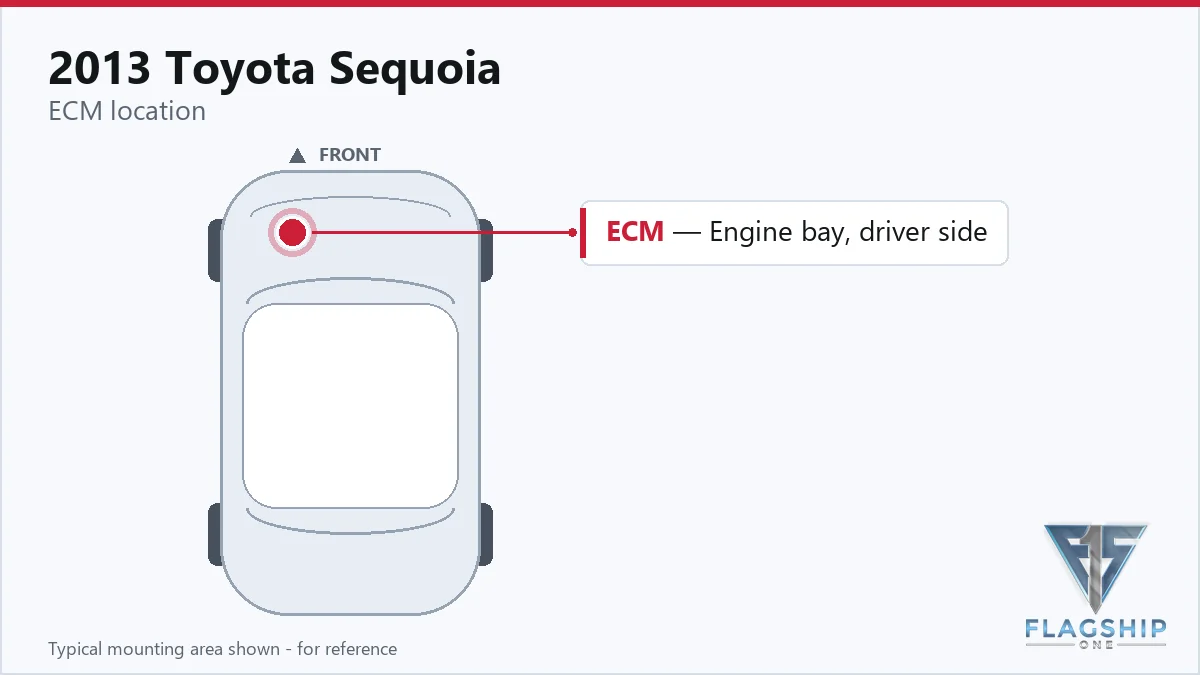
Work with the ignition off, and treat the module as static-sensitive: avoid touching the connector pins at any point.
| Operation | Configuration | Book Time |
|---|---|---|
| Powertrain Control Module R&R | All configurations | 1.0 hr |
| Powertrain Control Module Relearn | All configurations | 0.5 hr |
| Engine Control Module Relearn | All configurations | 0.5 hr |
| Engine Control Module R&R | All configurations | 1.0 hr |
| Engine Control Module Reset | All configurations | 0.3 hr |
Standard factory protocol requires specific initialization steps after installing a new computer. These procedures ensure the unit communicates properly with the immobilizer and other systems. However, Flagship One supplies units that arrive ready for installation. Using a VIN-programmed replacement unit eliminates the need for many post-install configuration steps. You avoid the typical relearn processes that consume shop time. The standard engine control module reset often takes 0.3 hours to complete manually. Powertrain control module relearn tasks usually require 0.5 hours of technician attention. By receiving a pre-configured component, your vehicle skips these labor-intensive activities. This approach streamlines the repair process significantly. You still need to verify operation after installation. The goal is minimizing downtime while ensuring full functionality. Professional installation remains recommended for optimal results.
Owners of the 2013 Toyota Sequoia may experience various drivability issues when this module fails. Common signs include unexpected stalling during idle or difficulty starting the engine. You might also notice misfire codes that persist despite sensor replacement. Communication errors with scan tools often indicate internal processor problems. In some cases, the system stores indicating code P0606 related to processor performance. Shifting issues can occur if transmission data is corrupted. Dead communication prevents diagnostic equipment from reading live data. These symptoms suggest the computer is not processing inputs correctly. You should rule out wiring faults before condemning the unit. Electrical spikes from jump-starting can damage internal circuits. Addressing these signs promptly prevents further strain on the powertrain. Reliable operation depends on healthy electronic management within the engine bay.
Internal faults within the computer often generate specific diagnostic trouble codes. For this vehicle, documented errors point directly to processor integrity issues. The following list represents known internal failures recorded for this model year. Technicians use these codes to confirm hardware replacement necessity.
| Code | Meaning | Full Guide |
|---|---|---|
| P0606 | Module processor failure | Full P0606 guide → |
Factory procedures typically mandate relearn steps taking 0.5 hours. Pre-programmed units bypass much of this configuration work.
Service guides place the unit near the air cleaner component. Access involves removing the connector holder block.
Standard book time for removal and installation is 1.0 hours. Reset procedures may add 0.3 hours separately.
You face a choice between repairing the existing hardware or installing a refurbished replacement. Refurbished options often provide a more reliable long-term solution for internal processor faults. Your 2013 Toyota Sequoia deserves a component that meets original performance standards. Evaluating both paths helps you decide based on budget and downtime. Professional installation ensures all connections remain secure during the transition.
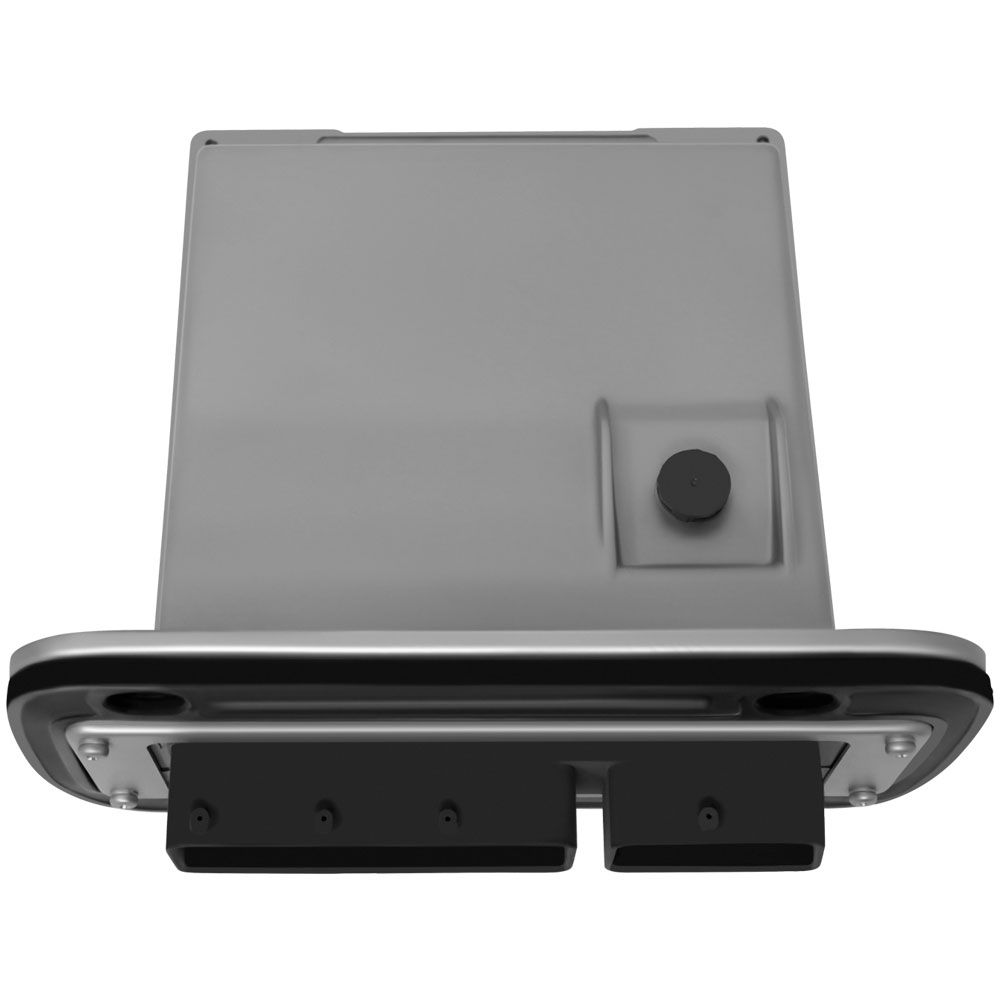
Flagship One stocks a refurbished, VIN-programmed PCM for the 2013 Toyota Sequoia with a lifetime warranty, free shipping and no core charge. The full Toyota Sequoia module lineup covers other engine configurations as well.
Restoring your 2013 Toyota Sequoia requires attention to detail during computer replacement. Understanding labor times and location helps you manage service expectations. You can achieve reliable performance with the correct replacement strategy. Contact our team for specific compatibility details regarding your truck. Proper selection ensures your vehicle returns to normal operation quickly.