
Last updated on August 25th, 2026 at 01:42 pm
The engine control module in a 2008 Saturn Outlook manages fuel delivery, ignition timing and emissions functions. When the ECM fails, the vehicle may lose power, run poorly or refuse to start, and related diagnostic codes appear.
When a 2008 Saturn Outlook exhibits erratic power‑train behavior, the engine control module is often the source. This guide explains what the ECM does, how to access it, the steps required after replacement, and what to watch for in trouble codes. By following these points you can understand the work involved and verify that a refurbished unit meets factory expectations.
In the 2008 Saturn Outlook the engine control module coordinates engine speed, fuel injection, ignition timing and emissions monitoring. It receives sensor inputs, processes them, and commands actuators to keep the engine running smoothly. Because the ECM directly influences drivability, any failure can trigger performance loss or a no‑start condition. Proper data capture and reprogramming are essential, especially when installing replacement engine control modules for 2008 Saturn Outlook during service.
The ECM sits on a bracket within the engine bay, secured by a retaining tab that must be gently lifted before the unit can be removed. Labor estimates list 0.9 hours for both powertrain and engine control module removal and replacement, plus an additional 0.5 hours for the ECM relearn procedure. Follow the factory caution to avoid touching connector pins and to use the scan tool to save module data before extraction.
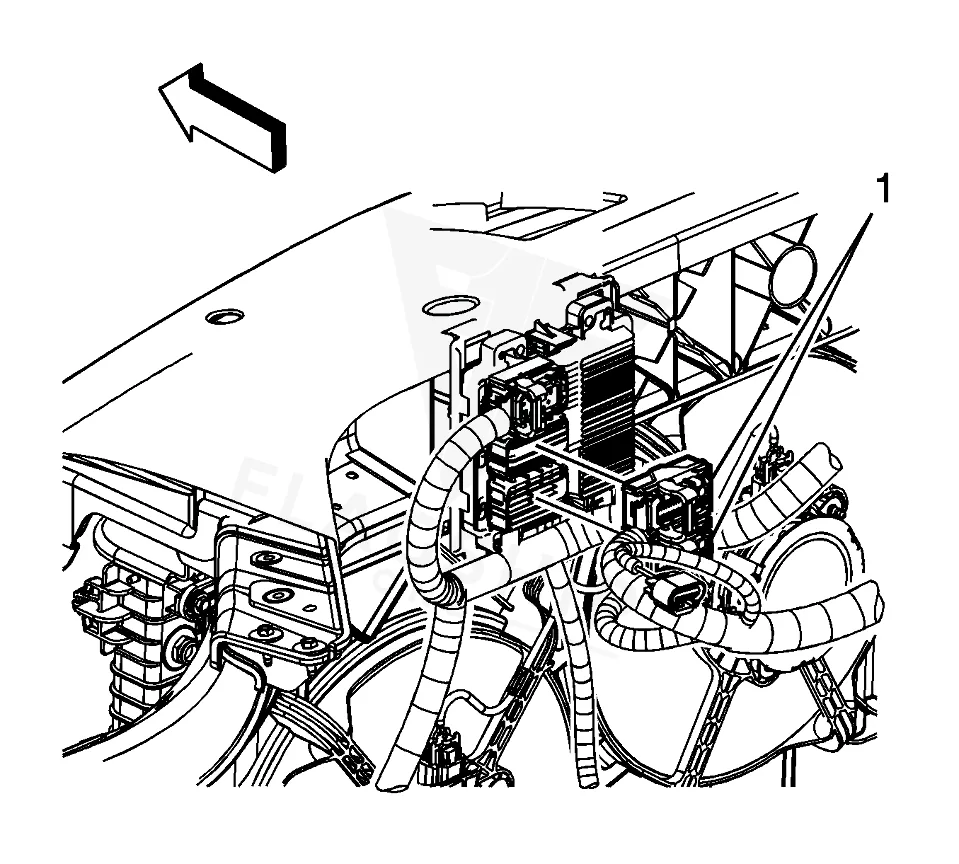
Work with the ignition off, and treat the module as static-sensitive: avoid touching the connector pins at any point.
| Operation | Configuration | Book Time |
|---|---|---|
| Powertrain Control Module R&R | All configurations | 0.9 hr |
| Engine Control Module R&R | All configurations | 0.9 hr |
| Engine Control Module Relearn | All configurations | 0.5 hr |
2008 Saturn Outlook
OEM programmed ECM for your 2008 Saturn Outlook — plug & play, no dealer visit.
Free shipping · Lifetime warranty
After the ECM is replaced, the factory process requires the captured data to be restored and the new unit to be reprogrammed with the correct calibration. Special equipment and the vehicle‑specific program are needed for this step. Flagship One units arrive already loaded, so a a VIN-programmed replacement unit eliminates the reprogramming requirement on the shop floor.
Typical signs of a failing ECM in a 2008 Saturn Outlook include intermittent no‑start, rough idle, stalling under load and loss of power‑train control. Diagnostic scans often reveal codes such as processor communication fault or related processor errors, indicating internal module issues that need attention.
The following internal trouble codes may be logged by the engine control module in this vehicle:
Service bulletin PI0777, dated August 3, 2012, calls for an oil‑life monitor calibration update that requires reprogramming the ECM. This bulletin provides the factory‑approved method for correcting the monitor after ECM replacement.
| Bulletin | Subject | What It Addresses |
|---|---|---|
| — | Oil Life Monitor Calibration Update – Reprogram Engine Control Module – (Aug 3, 2012) | — |
Connect a scan tool and capture the existing ECM data, then follow the electrostatic discharge precautions outlined in the factory guidance.
Labor estimates suggest roughly 0.9 hours for removal and installation, with an additional 0.5 hours for the relearn process.
Yes, the correct programming tools and vehicle‑specific calibration data are required unless you use a pre‑programmed replacement unit.
When the ECM in a 2008 Saturn Outlook needs service, you can choose a factory‑repaired unit or a Flagship One refurbished replacement. Both options address the same mechanical function, but the refurbished part arrives VIN‑programmed, reducing shop time and ensuring compliance with factory procedures.
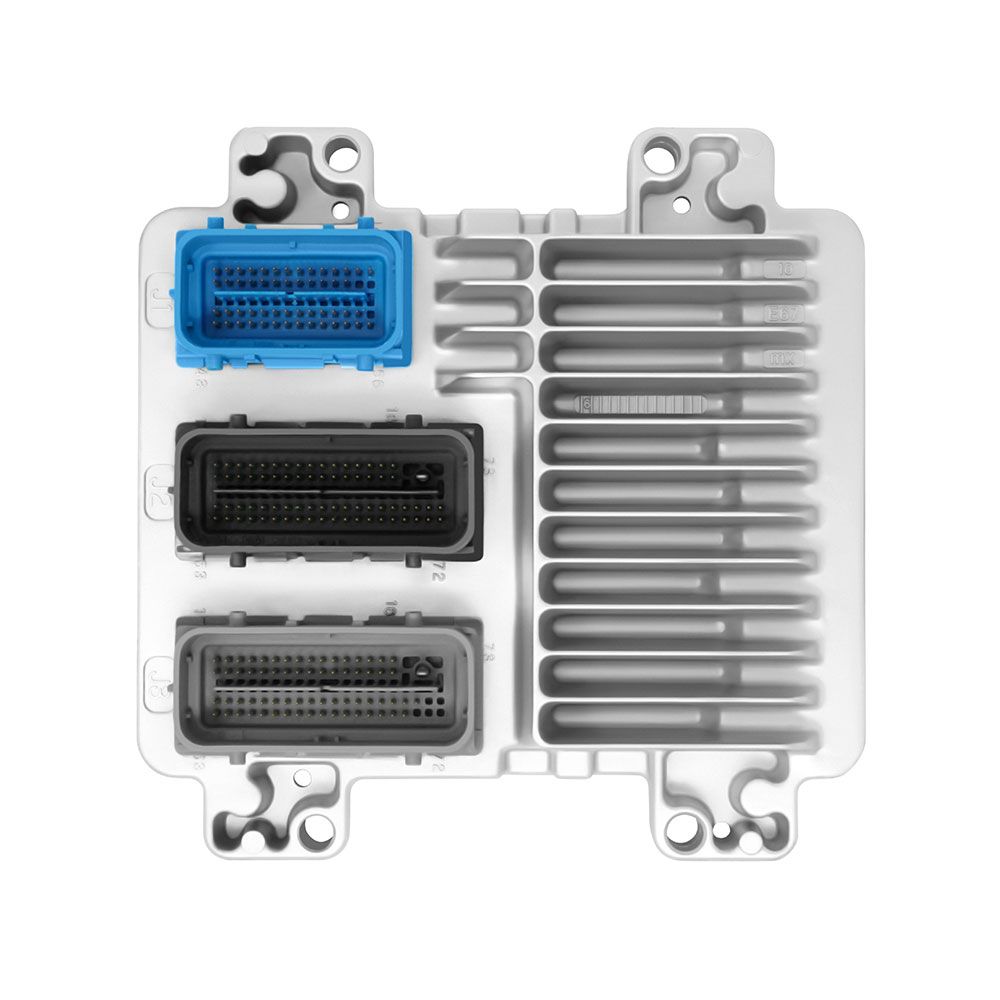
Flagship One stocks a refurbished, VIN-programmed PCM for the 2008 Saturn Outlook with a lifetime warranty, free shipping and no core charge. The full Saturn Outlook module lineup covers other engine configurations as well.
The engine control module is vital to the operation of your 2008 Saturn Outlook. Whether you repair or replace it, following proper handling and programming steps will help restore reliable performance. Consider a VIN‑programmed replacement to streamline the process.