
Last updated on August 25th, 2026 at 01:41 pm
The engine control module (ECM) in your 2010 Saturn Outlook manages fuel delivery, ignition timing, and emissions systems. Failures may cause drivability issues, trouble codes, or complete no-start conditions.
If your 2010 Saturn Outlook is experiencing rough running, stalling, or failure to start, the engine control module (ECM) may be at fault. This critical component oversees fuel injection, ignition timing, and emissions systems. Replacing it involves careful handling to avoid damage and requires a post-installation procedure to ensure proper function. Understanding the process helps you make informed decisions about repairs and avoid unnecessary complications during service.
The ECM in your 2010 Saturn Outlook acts as the brain of the engine, processing data from sensors to optimize performance, fuel efficiency, and emissions. It adjusts fuel delivery and ignition timing in real time, ensuring smooth operation. A malfunctioning ECM can lead to poor drivability, reduced power, or even a complete inability to start the vehicle. When replacement is necessary, selecting replacement engine computers for the Outlook ensures compatibility and proper function. Without a fully operational ECM, your vehicle may fail to meet emissions standards or experience erratic behavior under various driving conditions.
The ECM in the 2010 Saturn Outlook is mounted on a bracket, typically accessible under the hood. To remove it, gently lift the retaining tab and carefully lift the module out of its support brackets. Avoid touching the connector pins to prevent electrostatic discharge, which may damage sensitive internal components. Reinstallation follows the reverse procedure, with a labor time of 0.9 hours for removal and replacement. The factory also specifies a 0.5-hour relearn procedure to synchronize the ECM with the vehicle’s systems after installation.
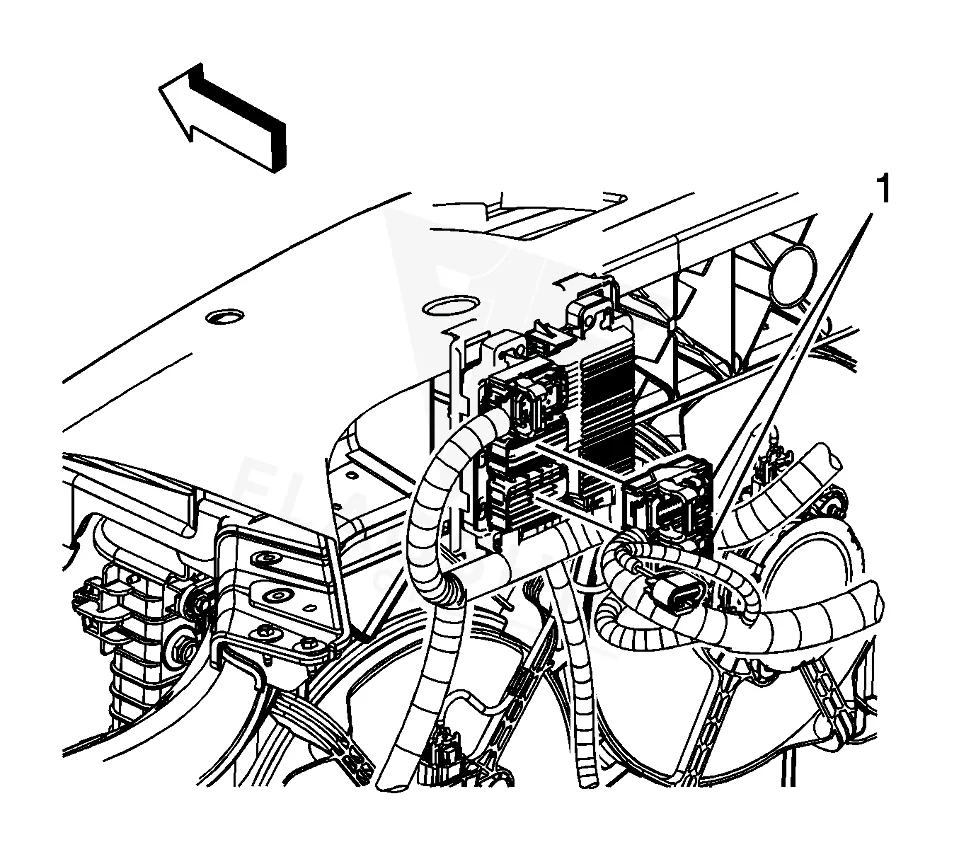
Work with the ignition off, and treat the module as static-sensitive: avoid touching the connector pins at any point.
| Operation | Configuration | Book Time |
|---|---|---|
| Powertrain Control Module R&R | All configurations | 0.9 hr |
| Engine Control Module R&R | All configurations | 0.9 hr |
| Engine Control Module Relearn | All configurations | 0.5 hr |
2010 Saturn Outlook
OEM programmed ECM for your 2010 Saturn Outlook — plug & play, no dealer visit.
Free shipping · Lifetime warranty
After replacing the ECM in your 2010 Saturn Outlook, the factory requires reprogramming to match the vehicle’s specific calibration. This process demands specialized equipment and software to ensure proper communication with the engine and transmission systems. Using a VIN-programmed replacement unit eliminates the need for this step, as the module arrives pre-configured for your vehicle. Without reprogramming, the ECM may not function correctly, leading to drivability issues or trouble codes.
A failing ECM in the 2010 Saturn Outlook may cause a range of symptoms, including intermittent stalling, rough idling, or a no-start condition. You might also notice poor acceleration, reduced fuel economy, or the check engine light illuminating. In some cases, the vehicle may exhibit erratic shifting or fail to communicate with a scan tool. Trouble codes like internal control module memory checksum error often indicate ECM-related faults, though other codes such as P0603 or P062F may also appear. Addressing these symptoms promptly can prevent further drivability issues.
The 2010 Saturn Outlook may log specific trouble codes when the ECM experiences internal faults. These codes help diagnose issues related to memory, communication, or calibration errors within the module itself.
Factory service bulletins address common issues with the 2010 Saturn Outlook’s transmission and control modules. Bulletin #09-07-30-016 and its update #09-07-30-016A describe conditions where customers may experience transmission hesitation, delayed shifting, or shifting at incorrect times. These symptoms may require reprogramming the transmission control module (TCM). Another bulletin, #PIP4653D, covers trouble codes P0601, P0603, P0604, P062F, and P1621, which may be stored in the TCM and indicate internal faults.
| Bulletin | Subject | What It Addresses |
|---|---|---|
| 09-07-30-016 | Transmission Hesitation, Delayed Shifting, Shifting at Wrong Time (Reprogram TCM) – (Nov 25, 20 | Some customers may comment on transmission downshift hesitation, delayed shifting and shifting at the wrong |
| — | DTC’s P0601 P0603 P0604 P062F Or P1621 (Stored in the TCM) – (Jun 20, 2012) | — |
Common signs include a no-start condition, stalling, rough idling, or trouble codes like P0601 or P0603. If the vehicle fails to communicate with a scan tool, the ECM may be at fault. A professional diagnosis can confirm whether replacement is necessary.
Avoid touching the connector pins to prevent electrostatic discharge, which can damage the module. Follow factory procedures for removal and installation, and ensure all electrical connections are secure. Capturing ECM data before removal is also recommended.
Yes, a new ECM requires reprogramming to match the vehicle’s specific calibration. This process involves specialized equipment and software. Using a pre-programmed replacement unit eliminates this step, ensuring immediate compatibility.
If your 2010 Saturn Outlook requires ECM replacement, you have options for repair or replacement. A refurbished or new module can restore proper function, especially if the original unit has failed. Given the labor and programming requirements, selecting a unit pre-configured for your vehicle may simplify the process and reduce downtime.
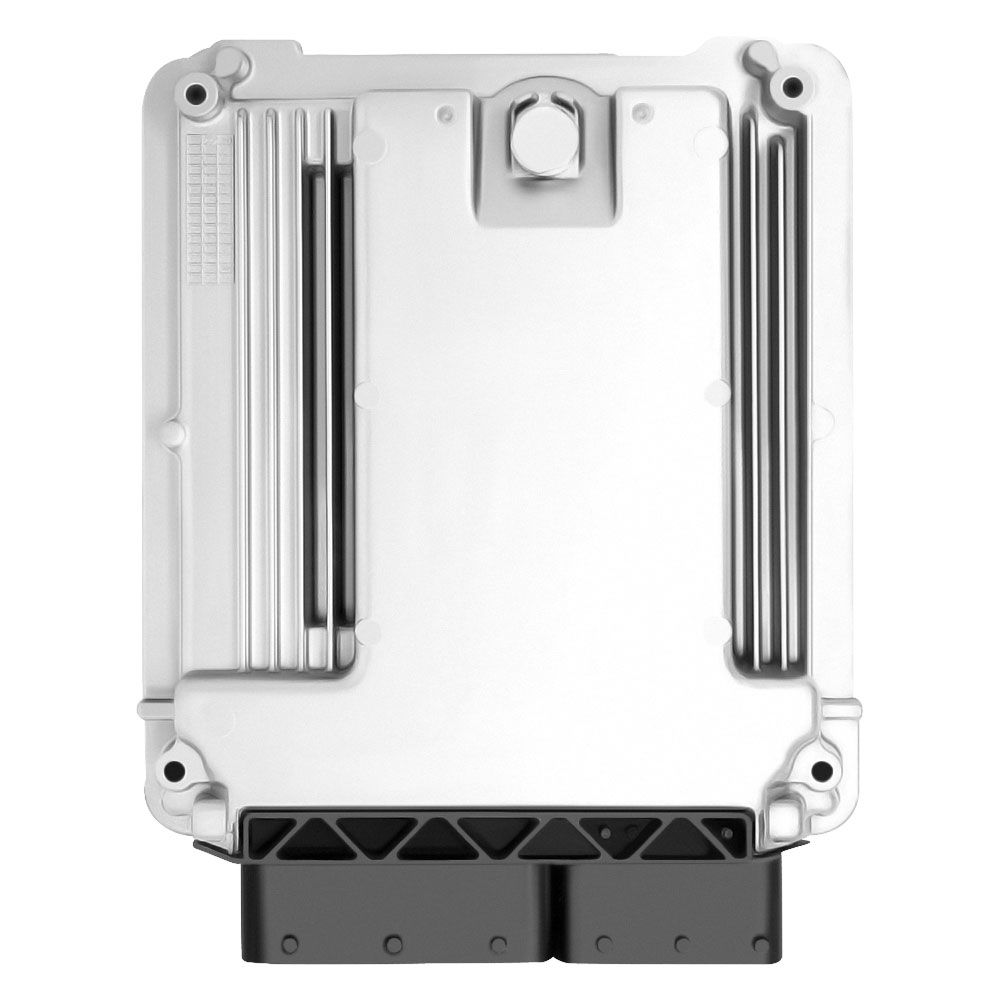
Flagship One stocks a refurbished, VIN-programmed PCM for the 2010 Saturn Outlook with a lifetime warranty, free shipping and no core charge. The full Saturn Outlook module lineup covers other engine configurations as well.
The 2010 Saturn Outlook relies on its ECM for smooth operation, and addressing issues promptly can prevent further complications. Whether you opt for repair or replacement, understanding the process and precautions ensures a successful outcome. Proper handling and programming are key to restoring your vehicle’s performance.