
Last updated on August 25th, 2026 at 02:29 pm
The Powertrain Control Module (PCM) in your 1999 Chevrolet Venture manages engine and transmission functions. Failures may cause erratic performance, diagnostic trouble codes, or complete no-start conditions.
If your 1999 Chevrolet Venture is experiencing unexplained stalling, rough idling, or a no-start condition, the Powertrain Control Module (PCM) may be at fault. This critical component oversees engine and transmission functions, and its failure can disrupt vehicle operation. Replacing the PCM involves careful handling to avoid damage, and a relearn procedure is often required afterward. Understanding the process helps you make informed decisions about repairs or replacements, ensuring your Venture runs reliably.
In your 1999 Chevrolet Venture, the PCM acts as the brain for both the engine and transmission. It processes sensor data to optimize fuel delivery, ignition timing, and shift points, ensuring smooth operation. A malfunctioning PCM may lead to poor performance, reduced fuel efficiency, or even prevent the vehicle from starting. When replacement becomes necessary, you’ll need replacement engine computers for the Venture, which are designed to restore proper function without extensive reprogramming hassles.
The PCM in your 1999 Chevrolet Venture is located behind the right side of the instrument panel, near the convenience center. Accessing it requires removing interior trim panels, and care must be taken to avoid damaging electrical connectors. Replacement typically involves 1.1 hours of labor, as the module is secured in place with mounting hardware. After installation, a 0.5-hour relearn procedure is often required to synchronize the new PCM with the vehicle’s systems.
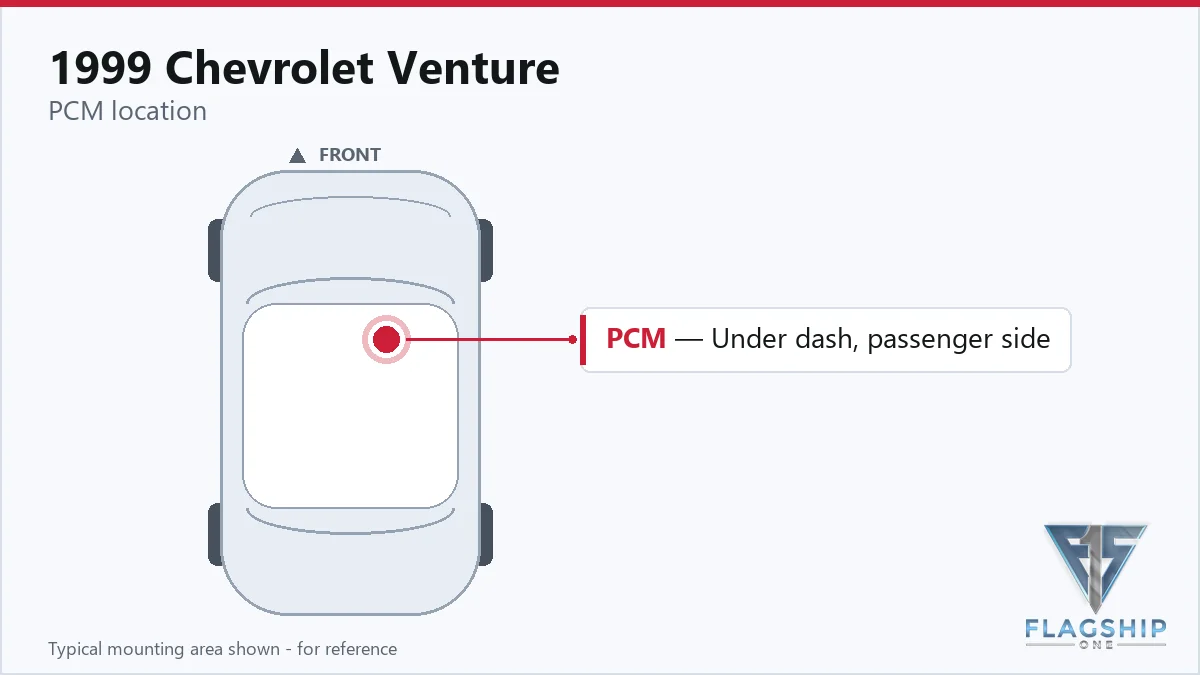
Work with the ignition off, and treat the module as static-sensitive: avoid touching the connector pins at any point.
| Operation | Configuration | Book Time |
|---|---|---|
| Engine Control Module R&R | All configurations | 1.1 hr |
| Engine Control Module Relearn | All configurations | 0.5 hr |
| Powertrain Control Module R&R | All configurations | 1.1 hr |
| Powertrain Control Module Relearn | All configurations | 0.5 hr |
1999 Chevrolet Venture
OEM programmed ECM for your 1999 Chevrolet Venture — plug & play, no dealer visit.
Free shipping · Lifetime warranty
After replacing the PCM in your 1999 Chevrolet Venture, the factory requires a relearn procedure to ensure proper communication with the vehicle’s sensors and systems. This process typically takes 0.5 hours and must be performed with the ignition off to avoid internal damage. However, a VIN-programmed replacement unit from Flagship One arrives ready to install, eliminating the need for this additional step and saving you time.
A failing PCM in your 1999 Chevrolet Venture may cause a range of symptoms, including intermittent stalling, rough idling, or a complete no-start condition. You might also notice shifting issues, such as delayed or harsh gear changes. Diagnostic trouble codes like internal control module memory checksum error often appear, indicating a potential internal fault. If your scan tool fails to communicate with the PCM, that’s another sign the module may need attention.
The 1999 Chevrolet Venture’s PCM may set specific trouble codes when internal faults occur. These codes help pinpoint issues within the module itself, rather than external sensors or wiring.
| Code | Meaning | Full Guide |
|---|---|---|
| P0601 | Internal memory checksum error | Full P0601 guide → |
| P0602 | Control module programming error | Full P0602 guide → |
| P0620 | Module-internal fault | Full P0620 guide → |
| P0650 | Module-internal fault | Full P0650 guide → |
| P0656 | Module-internal fault | Full P0656 guide → |
| P1626 | Module-internal fault | — |
| P1629 | Module-internal fault | — |
| P1635 | Module-internal fault | — |
| P1637 | Module-internal fault | — |
| P1639 | Module-internal fault | — |
| P1653 | Module-internal fault | — |
| P1673 | Module-internal fault | — |
General Motors issued service bulletin #99-06-04-053 regarding PCM reprogramming for the 1999 Chevrolet Venture. This bulletin outlines procedures for updating the module’s software to address potential performance or drivability concerns. Reprogramming may be recommended if the vehicle exhibits symptoms related to PCM function, though it does not always resolve hardware failures.
| Bulletin | Subject | What It Addresses |
|---|---|---|
| 99-06-04-053 | Info – PCM Reprogramming – (Oct 26, 1999) | — |
Replacing the PCM is possible if you’re comfortable with basic automotive electrical work. However, the module is located behind the instrument panel, which may require removing trim pieces. Always disconnect the battery before servicing to avoid damaging the new unit.
The relearn procedure ensures the new PCM synchronizes with the vehicle’s sensors and systems. This step is necessary to restore proper engine and transmission function. A VIN-programmed unit from Flagship One eliminates this requirement, saving time.
PCM failures may result from voltage spikes, corrosion, or internal component wear. Poor electrical connections or moisture intrusion can also contribute. Regular maintenance and prompt attention to trouble codes can help extend the module’s lifespan.
If your 1999 Chevrolet Venture’s PCM is failing, you have options. A repair may address minor issues, but a replacement is often more reliable. Flagship One offers VIN-programmed units designed for your Venture, eliminating the need for post-install programming and ensuring a smoother installation process.
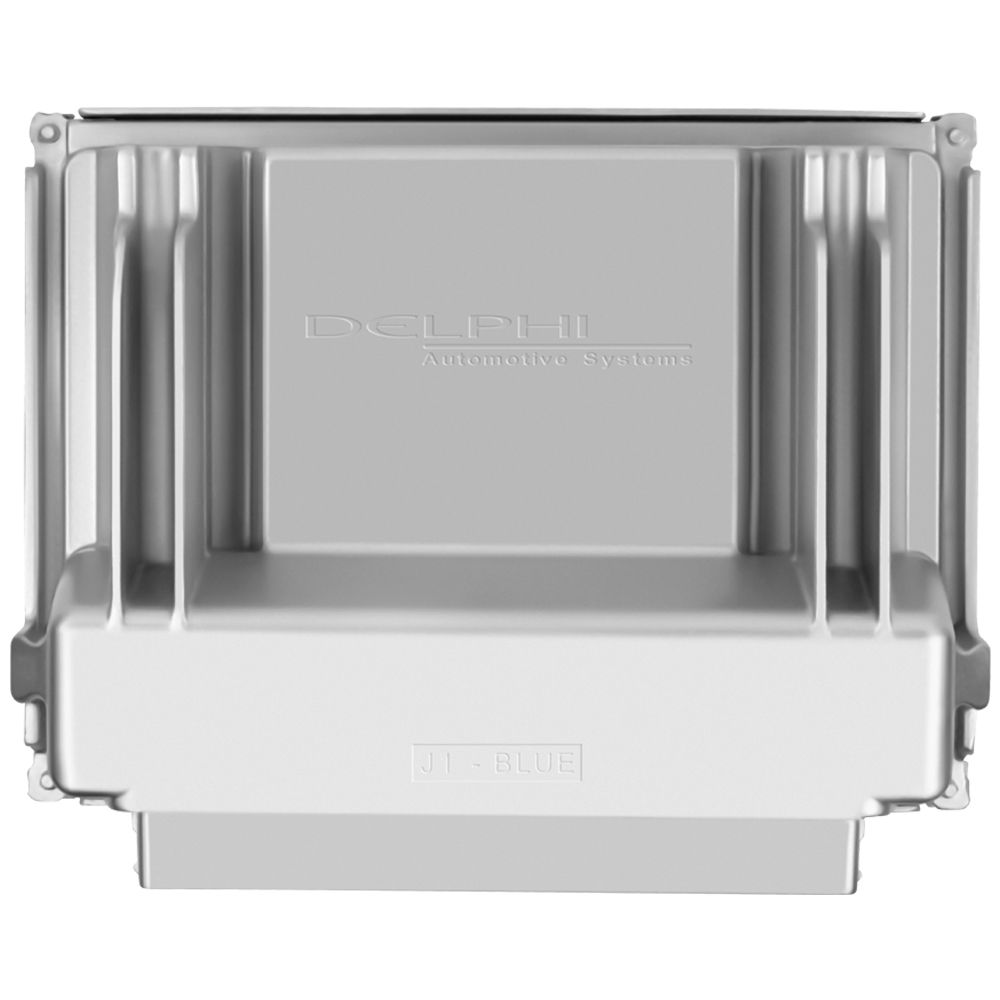
Flagship One stocks a refurbished, VIN-programmed PCM for the 1999 Chevrolet Venture with a lifetime warranty, free shipping and no core charge. The full Chevrolet Venture module lineup covers other engine configurations as well.
The PCM in your 1999 Chevrolet Venture plays a critical role in engine and transmission performance. If you’re experiencing symptoms like stalling or no-start conditions, a replacement may be necessary. Consider a VIN-programmed unit to simplify the process and get your Venture back on the road.