
Last updated on August 25th, 2026 at 02:29 pm
The Powertrain Control Module in a 1998 Chevrolet Venture manages engine and transmission commands, interpreting sensor data to control fuel, spark and shift timing. Failure typically disrupts powertrain operation and may trigger diagnostic codes.
When a 1998 Chevrolet Venture exhibits powertrain glitches, the PCM often becomes the focus of diagnosis. This guide explains what the module does, where it lives, how to replace it safely, and what steps follow installation. By the end, you should understand the labor involved, the precautions needed to protect the electronics, and how a pre‑programmed replacement can simplify the process.
In the 1998 Chevrolet Venture the Powertrain Control Module coordinates engine and transmission functions, processing sensor inputs to adjust fuel delivery, ignition timing and shift points. Its role is critical for smooth acceleration and fuel efficiency, and any malfunction can lead to loss of power or error codes. Proper operation ensures the vehicle meets emissions standards and drives reliably. The module is also the hub for diagnostic communication, allowing technicians to read fault data. For owners seeking a new part, replacement engine modules for Venture are available and designed to match the original specifications.
The PCM is located behind the right side of the instrument panel, tucked behind the convenience center. Access requires removal of the panel trim, then disconnecting the PCM connectors with the ignition switched off. Labor guidance assigns 1.1 hours for removal and reinstall, plus an additional 0.5 hours for the relearn procedure. Care must be taken to avoid contact with connector pins or soldered components to prevent electrostatic damage.
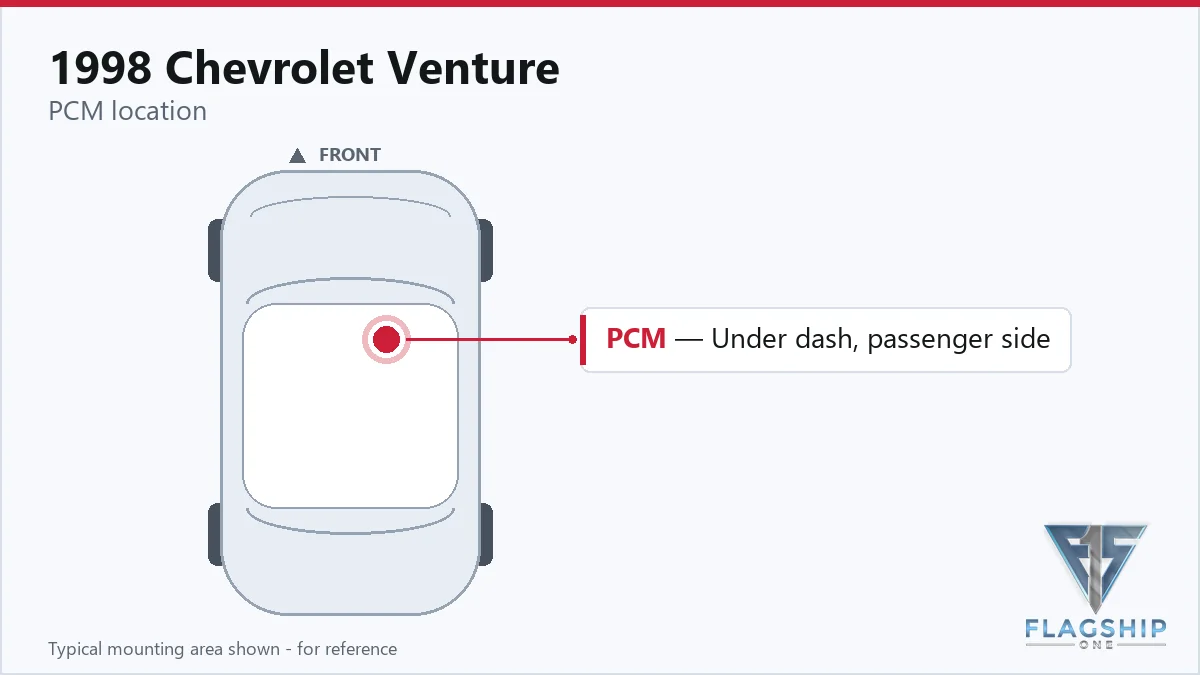
Work with the ignition off, and treat the module as static-sensitive: avoid touching the connector pins at any point.
| Operation | Configuration | Book Time |
|---|---|---|
| Engine Control Module R&R | All configurations | 1.1 hr |
| Engine Control Module Relearn | All configurations | 0.5 hr |
| Powertrain Control Module R&R | All configurations | 1.1 hr |
| Powertrain Control Module Relearn | All configurations | 0.5 hr |
1998 Chevrolet Venture
OEM programmed ECM for your 1998 Chevrolet Venture — plug & play, no dealer visit.
Free shipping · Lifetime warranty
After installing a new PCM, the factory procedure calls for a powertrain control module relearn, which takes about half an hour. Flagship One supplies a VIN-programmed replacement unit so the necessary calibration is already applied, removing the need for field programming steps.
Typical signs of a failing PCM in a 1998 Chevrolet Venture include engine no‑start, rough idle, unexpected stalling, and loss of shift control. Diagnostic scans often reveal communication loss or specific fault codes such as processor clock fault, indicating internal timing issues within the module.
The following internal diagnostic codes are documented for the PCM in this vehicle:
| Code | Meaning | Full Guide |
|---|---|---|
| P0601 | Internal memory checksum error | Full P0601 guide → |
| P0602 | Control module programming error | Full P0602 guide → |
| P0654 | Module-internal fault | Full P0654 guide → |
| P1626 | Module-internal fault | — |
| P1629 | Module-internal fault | — |
| P1635 | Module-internal fault | — |
| P1639 | Module-internal fault | — |
| P1641 | Module-internal fault | — |
| P1642 | Module-internal fault | — |
| P1651 | Module-internal fault | — |
| P1652 | Module-internal fault | — |
| P1653 | Module-internal fault | — |
Service bulletin #99-06-04-053, dated Oct 26 1999, provides information on PCM reprogramming procedures relevant to this model.
| Bulletin | Subject | What It Addresses |
|---|---|---|
| 99-06-04-053 | Info – PCM Reprogramming – (Oct 26, 1999) | — |
Factory estimates list about 1.1 hours for removal and reinstall, plus 0.5 hours for the relearn step.
You may replace it if you follow safety precautions, keep the ignition off, and avoid touching the board pins.
The factory requires a relearn, but a VIN‑programmed unit from Flagship One already includes that calibration.
When the PCM in your 1998 Chevrolet Venture needs attention, you can choose a brand‑new factory part or a refurbished unit that meets the original specifications. Both options require the same removal steps and post‑install relearn, but a pre‑programmed replacement can reduce shop time and risk of error.
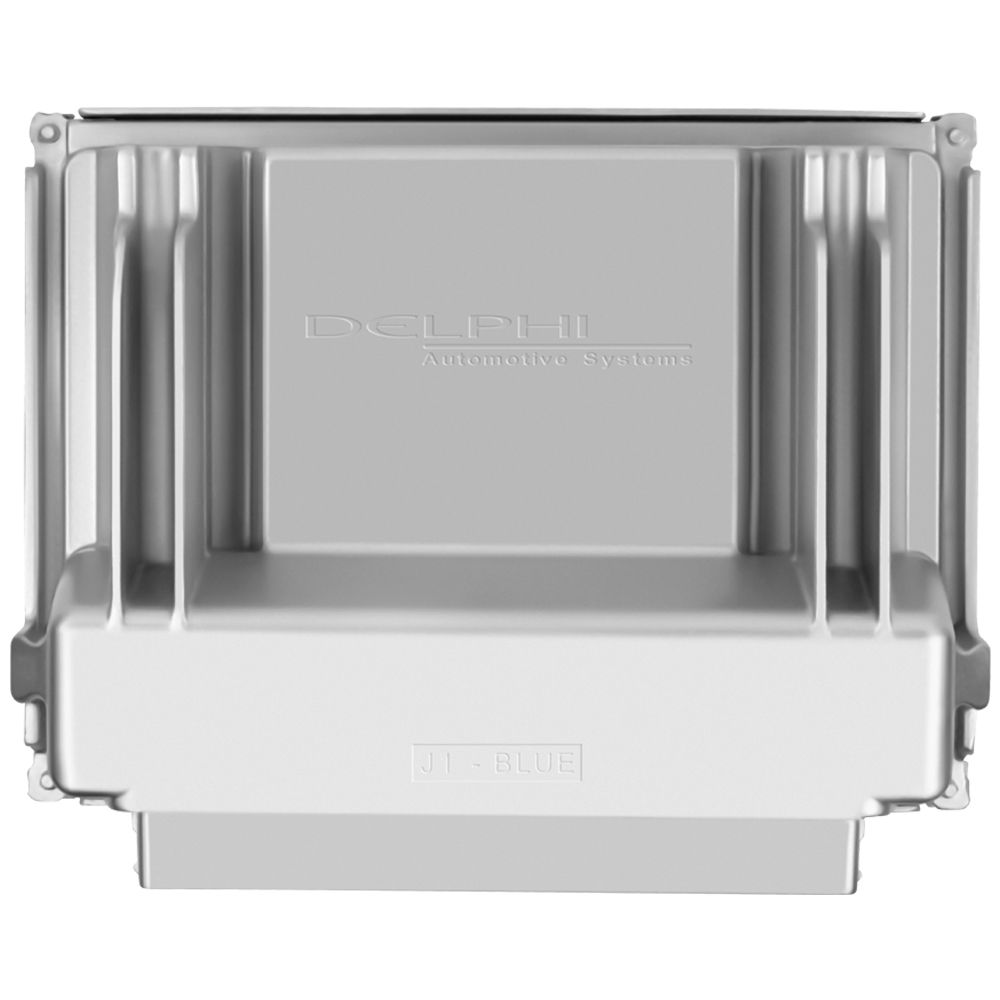
Flagship One stocks a refurbished, VIN-programmed PCM for the 1998 Chevrolet Venture with a lifetime warranty, free shipping and no core charge. The full Chevrolet Venture module lineup covers other engine configurations as well.
The PCM in a 1998 Chevrolet Venture is essential for powertrain control; proper removal, handling, and post‑install procedures keep your vehicle running smoothly. Consider a VIN‑programmed replacement to streamline the repair.