
Last updated on August 25th, 2026 at 01:42 pm
The Engine Control Module (ECM) in your 2007 Saturn Outlook manages fuel delivery, ignition timing, and emissions systems. Failures may cause erratic engine behavior, stored trouble codes, or complete no-start conditions due to corrupted calibration data.
If your 2007 Saturn Outlook has been stalling unexpectedly, refusing to start, or flashing a check-engine light with internal module codes, the Engine Control Module (ECM) may be the culprit. This small but critical computer oversees nearly every aspect of engine performance, from fuel injection to ignition timing. When it fails, the symptoms can range from subtle driveability issues to a complete no-start condition. Replacing the ECM isn’t as simple as swapping a fuse—it involves careful handling to avoid electrostatic damage, capturing critical vehicle data before removal, and ensuring the new module is properly programmed to match your Outlook’s specific configuration. Understanding the factory-recommended steps can help you avoid unnecessary complications and ensure the repair is done correctly the first time. Whether you’re a DIYer or working with a shop, knowing what to expect can save time, money, and frustration.
The Engine Control Module (ECM) in your 2007 Saturn Outlook acts as the brain of the engine, continuously monitoring sensors and adjusting fuel, air, and spark to optimize performance and emissions. Without a functioning ECM, the engine may run poorly or not at all. This module is particularly sensitive to voltage fluctuations, which can corrupt its internal memory or damage its circuitry. When replacement becomes necessary, you’ll need replacement engine control modules for the Saturn Outlook that are pre-programmed to your vehicle’s VIN to avoid compatibility issues. The ECM also stores adaptive learning data, such as fuel trim adjustments, which must be preserved during replacement to maintain smooth operation. Ignoring ECM-related trouble codes or attempting a swap without following factory procedures can lead to further driveability problems, including rough idling, poor acceleration, or even transmission shifting issues in some cases.
2007 Saturn Outlook
OEM programmed ECM for your 2007 Saturn Outlook — plug & play, no dealer visit.
Free shipping · Lifetime warranty
The ECM in your 2007 Saturn Outlook is mounted on a bracket, typically located near the engine bay for easy access. To replace it, you’ll need to gently lift the retaining tab and carefully remove the module from its support brackets. The factory labor guide estimates 0.9 hours for the removal and reinstallation process, which includes disconnecting the electrical connector and ensuring the new module is securely seated. Before removal, it’s critical to avoid touching the connector pins to prevent electrostatic discharge, which could damage the sensitive electronics inside. Once the new ECM is installed, a relearn procedure is required, adding another 0.5 hours of labor. This step ensures the module synchronizes with the vehicle’s other systems, such as the transmission and emissions controls, to restore proper operation.
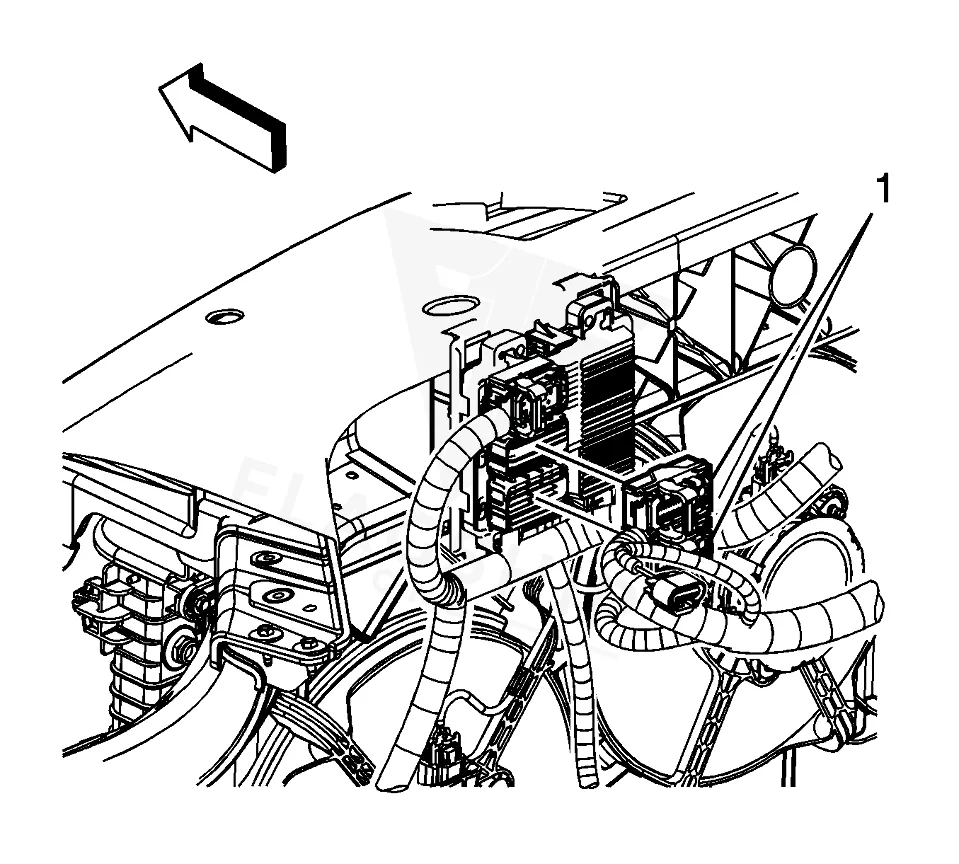
Work with the ignition off, and treat the module as static-sensitive: avoid touching the connector pins at any point.
| Operation | Configuration | Book Time |
|---|---|---|
| Powertrain Control Module R&R | All configurations | 0.9 hr |
| Powertrain Control Module Relearn | All configurations | 0.5 hr |
| Engine Control Module R&R | All configurations | 0.9 hr |
| Engine Control Module Relearn | All configurations | 0.5 hr |
After installing a new ECM in your 2007 Saturn Outlook, the factory procedure requires reprogramming the module to match your vehicle’s specific calibration. This process involves using specialized equipment and software to restore captured ECM data, including adaptive learning values and VIN-specific settings. Without this step, the engine may run poorly or trigger additional trouble codes. However, if you opt for a VIN-programmed replacement unit, these programming steps are already completed before the module arrives, saving you time and reducing the risk of errors during installation. The factory also emphasizes the importance of connecting aftermarket electrical accessories directly to the battery to avoid voltage spikes that could corrupt the ECM’s programming or damage its circuitry. Following these guidelines helps ensure the new module operates reliably and integrates seamlessly with your Outlook’s systems.
When the ECM in your 2007 Saturn Outlook begins to fail, the symptoms can vary widely but often include noticeable driveability issues. You might experience intermittent stalling, especially at idle or during deceleration, or the engine may crank but fail to start altogether. Misfires are another common sign, as the ECM controls ignition timing and fuel delivery—if these functions are disrupted, the engine may run rough or hesitate under acceleration. In some cases, the vehicle may enter a “limp mode,” limiting power to prevent further damage. Onboard diagnostics may also store internal module codes, such as an internal control module memory checksum error, which indicates corruption in the ECM’s memory. Other possible codes include P0602 (programming error), P0603 (keep-alive memory fault), or P062F (internal control module performance issue). If your Outlook exhibits any of these symptoms, it’s worth scanning for codes to determine whether the ECM is the root cause.
The 2007 Saturn Outlook may store specific trouble codes when the ECM experiences internal faults. These codes typically point to issues with the module’s memory, programming, or circuitry and should be addressed promptly to avoid further driveability problems.
Intermittent stalling in your Outlook may be linked to ECM failure, especially if the module is experiencing internal faults or voltage irregularities. The ECM controls fuel delivery and ignition timing, so disruptions in these functions can cause the engine to cut out unexpectedly. Scanning for trouble codes, such as P0601 or P0603, can help confirm whether the ECM is the issue.
Skipping the data capture step before ECM replacement can lead to driveability issues, such as rough idling, poor acceleration, or transmission shifting problems. The ECM stores adaptive learning data that helps the engine run smoothly, and without restoring this data to the new module, the vehicle may not perform as expected. Factory procedures require this step to avoid these complications.
Installing a used ECM from another vehicle is not recommended unless it has been professionally reprogrammed to match your Outlook’s VIN and calibration. Even then, the module may retain adaptive learning data from the donor vehicle, which could cause performance issues. A new or VIN-programmed replacement unit is typically the most reliable option.
Electrostatic discharge (ESD) damage to the ECM may not always produce immediate symptoms but can cause intermittent faults or stored trouble codes over time. If the module was handled improperly during installation, such as touching the connector pins, it may develop issues like stalling, misfires, or no-start conditions. Scanning for codes like P0601 or P0603 can help identify potential ESD-related problems.
If your Outlook stores a P0601 code after ECM replacement, it may indicate that the module was not properly programmed or that the data capture and restore process was incomplete. Recheck the installation steps, ensure the new ECM is correctly programmed to your VIN, and verify that all electrical connections are secure. If the code persists, the module itself may be faulty or incompatible.
If your 2007 Saturn Outlook is showing signs of ECM failure, you have a few options for replacement. A new or remanufactured ECM from the dealership will come with the latest calibration but may require additional programming steps. Alternatively, a VIN-programmed replacement unit can simplify the process by arriving ready to install, eliminating the need for post-installation programming. Weighing the cost, convenience, and reliability of each option can help you decide the best path forward for your vehicle.
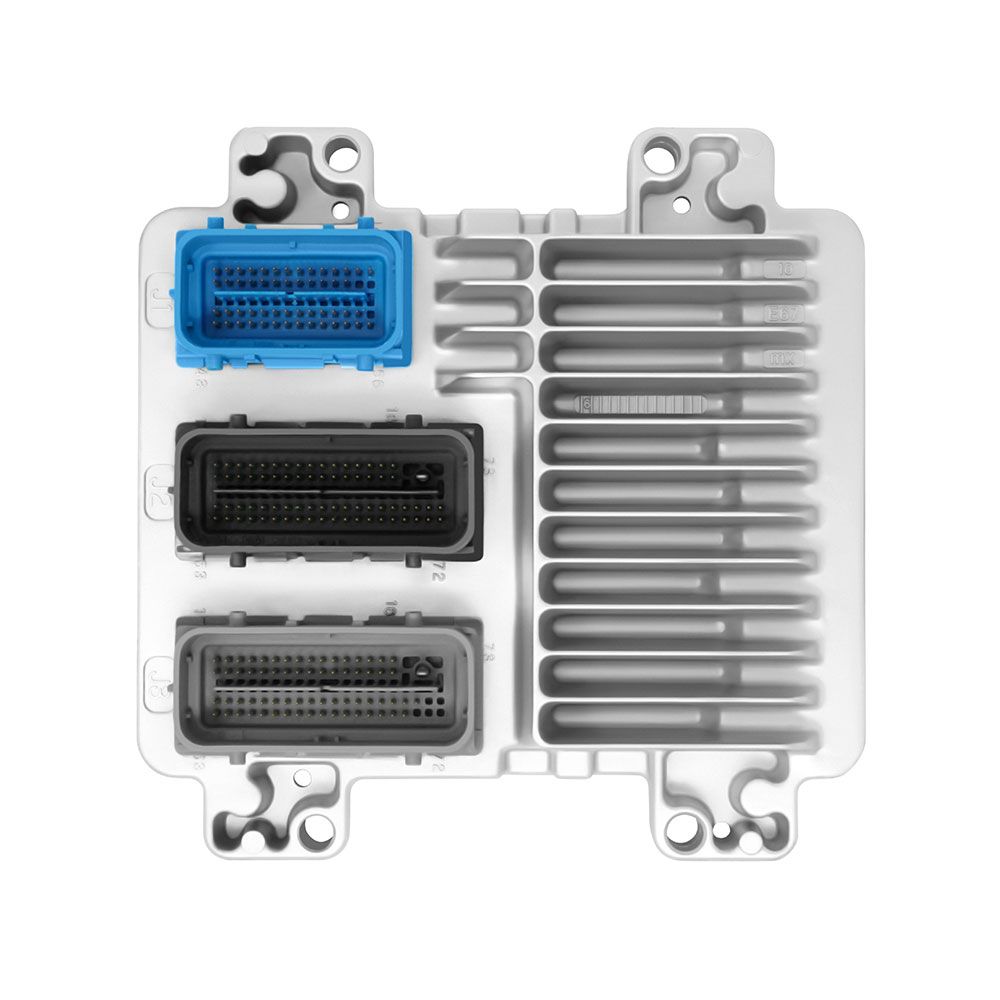
Flagship One stocks a refurbished, VIN-programmed PCM for the 2007 Saturn Outlook with a lifetime warranty, free shipping and no core charge. The full Saturn Outlook module lineup covers other engine configurations as well.
The ECM in your 2007 Saturn Outlook plays a critical role in engine performance, and addressing issues promptly can prevent more serious problems down the road. Whether you’re dealing with stalling, no-start conditions, or stored trouble codes, following factory procedures for replacement and programming ensures a smooth repair. If you’re considering a replacement, opting for a VIN-programmed unit can save time and reduce the risk of complications. Keeping your Outlook’s electrical system in good condition will help protect the new module and maintain reliable operation.