
Last updated on August 25th, 2026 at 02:36 pm
The Powertrain Control Module in a 2008 Buick Enclave manages engine timing, fuel delivery, and transmission shifts. Failure can cause engine misfires, stalling, or communication loss with the vehicle’s diagnostic tool.
When your 2008 Buick Enclave shows signs of engine trouble—such as stalling, a rough idle, or unexpected diagnostic codes—one potential culprit is the Powertrain Control Module. This article walks you through the replacement process, from locating the unit to programming it correctly. You’ll learn how to protect the module during removal, what to expect during reinstallation, and how a VIN‑programmed replacement can save you time and hassle. By the end, you’ll understand how to keep your Enclave running smoothly and avoid costly mistakes.
The Powertrain Control Module in the 2008 Buick Enclave orchestrates critical engine functions, including ignition timing, fuel injection, and transmission shifting. It continuously exchanges data with sensors and actuators to maintain optimal performance. When the PCM malfunctions, the vehicle may experience a no‑start condition, rough idle, or erratic shifting. replacement engine computers for the 2008 Buick Enclave The module’s central role means that any failure can ripple across the entire drivetrain, making timely diagnosis and replacement essential for reliable operation.
The PCM is mounted beneath the driver’s seat, within the engine bay. Access requires removing the seat cushion and backing plate, which takes roughly 0.9 hours. The module is secured by a retaining bracket; gently lift the tab (1) and lift the unit out of its support brackets. The removal process does not require special torque tools, but care must be taken not to touch the connector pins to avoid electrostatic discharge.
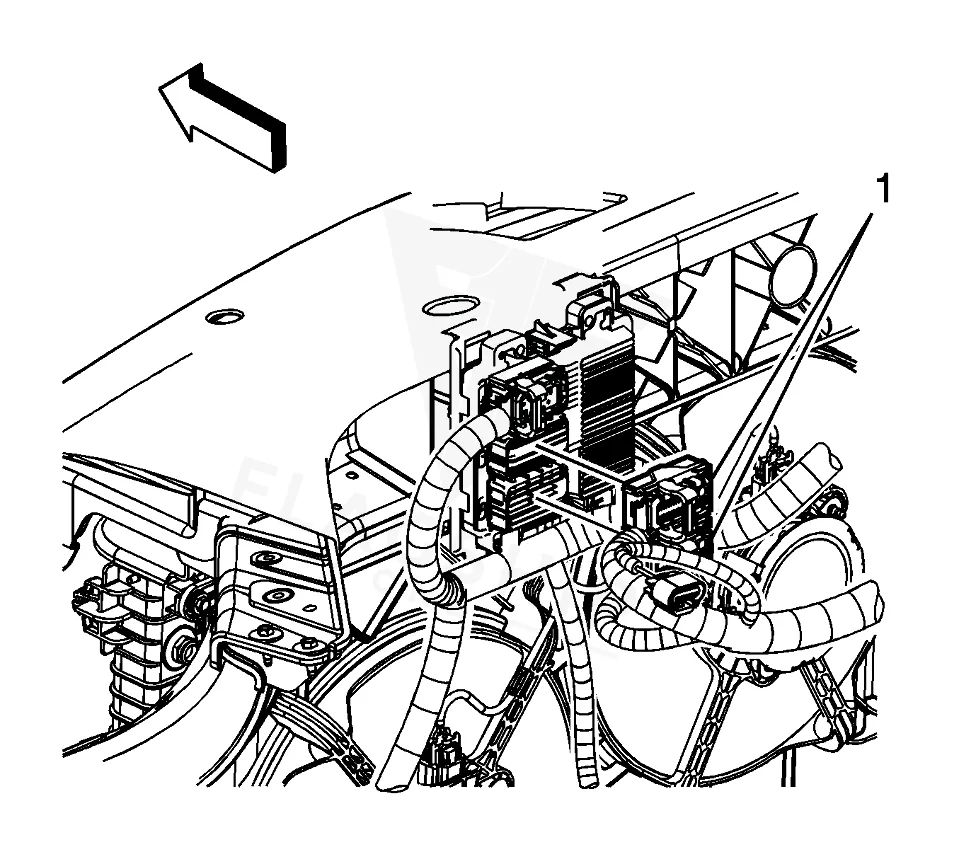
Work with the ignition off, and treat the module as static-sensitive: avoid touching the connector pins at any point.
| Operation | Configuration | Book Time |
|---|---|---|
| Powertrain Control Module R&R | All configurations | 0.9 hr |
| Engine Control Module Relearn | All configurations | 0.5 hr |
| Engine Control Module R&R | All configurations | 0.9 hr |
2008 Buick Enclave
OEM programmed ECM for your 2008 Buick Enclave — plug & play, no dealer visit.
Free shipping · Lifetime warranty
After installing a new PCM, the factory procedure demands that the original ECM data be captured with a scan tool before removal, and then restored into the new unit. Because Flagship One units arrive VIN‑programmed, those steps are already completed, so you can skip the data capture and restoration process. VIN‑programmed replacement unit This eliminates the need for post‑installation reprogramming and ensures the module is ready for immediate use.
Common symptoms of a failing PCM in a 2008 Buick Enclave include a rough idle, engine misfires, stalling, and a no‑start condition. The vehicle may also display internal fault codes such as P0601, which indicates a communication error between the PCM and other modules. When these issues arise, the PCM’s failure to regulate engine timing or fuel delivery can lead to significant performance loss.
The 2008 Buick Enclave’s PCM can generate several internal trouble codes that signal specific faults. These codes help technicians pinpoint the exact nature of the problem and guide the repair process.
#PI0777: Oil Life Monitor Calibration Update – Reprogram Engine Control Module – (Aug 3, 2012)
| Bulletin | Subject | What It Addresses |
|---|---|---|
| — | Oil Life Monitor Calibration Update – Reprogram Engine Control Module – (Aug 3, 2012) | — |
The estimated labor time is 0.9 hours for removal and installation, plus an additional 0.5 hours for relearning the engine control module.
With Flagship One units, the PCM is already VIN‑programmed, so no additional reprogramming is required post‑installation.
Capture the data with a scan tool before removal and restore it into the new unit if the replacement is not VIN‑programmed.
While the process is straightforward, it requires careful handling of connectors and knowledge of the relearn procedure; professional assistance is recommended.
Yes, bulletin #PI0777 addresses an oil life monitor calibration update that requires PCM reprogramming.
Whether you choose a professional repair or a refurbished replacement, understanding the PCM’s role in your 2008 Buick Enclave helps you make an informed decision. A properly installed and programmed module restores reliable performance, while a refurbished unit offers a cost‑effective alternative without compromising quality.
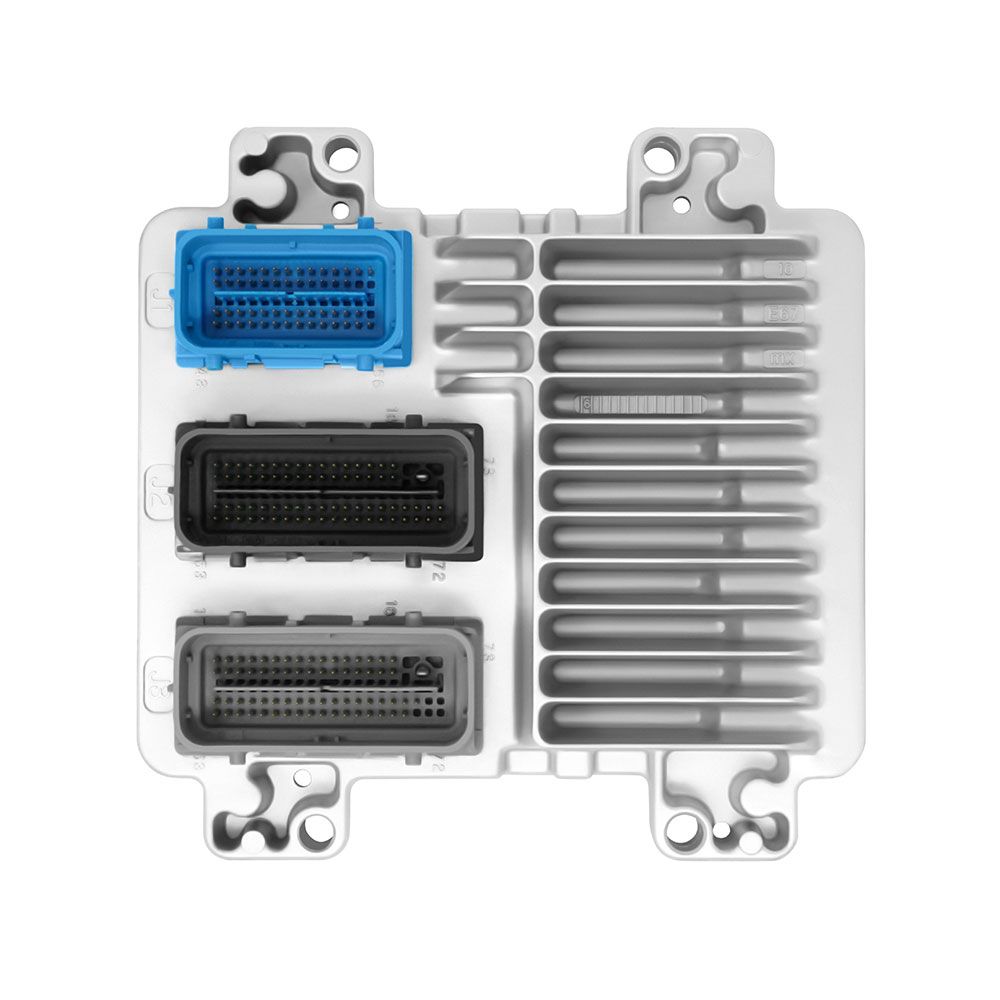
Flagship One stocks a refurbished, VIN-programmed PCM for the 2008 Buick Enclave with a lifetime warranty, free shipping and no core charge. The full Buick Enclave module lineup covers other engine configurations as well.