
Last updated on August 25th, 2026 at 01:27 pm
The engine control module (ECM) in your 2008 GMC Sierra manages fuel delivery, ignition timing, and emissions systems. Failures may cause no-start conditions, poor performance, or stored trouble codes related to internal memory or processor faults.
If your 2008 GMC Sierra is experiencing hard starts, stalling, or warning lights, the engine control module (ECM) may be at fault. This critical component oversees engine performance, and its failure can lead to a range of drivability issues. Understanding the replacement process, including labor times and factory requirements, helps you make informed decisions. Whether you’re addressing a no-start condition or stored trouble codes, knowing what to expect during ECM service ensures your vehicle runs reliably after repairs.
The engine control module in your 2008 GMC Sierra acts as the brain of the engine, regulating fuel injection, ignition timing, and emissions controls. It ensures optimal performance and efficiency by processing data from sensors throughout the vehicle. When the ECM fails, you may notice symptoms like rough idling, poor acceleration, or even a complete inability to start. Replacing it requires careful handling, as the module must be programmed to match your vehicle’s specific configuration. For seamless compatibility, consider replacement engine computers for the Sierra to avoid programming delays or mismatches that could disrupt operation.
The ECM in the 2008 GMC Sierra is typically mounted in the engine bay, secured behind a protective cover. Replacement involves disconnecting the battery, removing the cover, and unplugging the wiring harness before unscrewing the module. Labor time for removal and reinstallation is listed at 1.4 hours for all Sierra models, including the 1500, 2500 HD, and 3500 HD variants. After installation, a relearn procedure of 0.5 hours is required to synchronize the module with the vehicle’s systems, ensuring proper functionality.
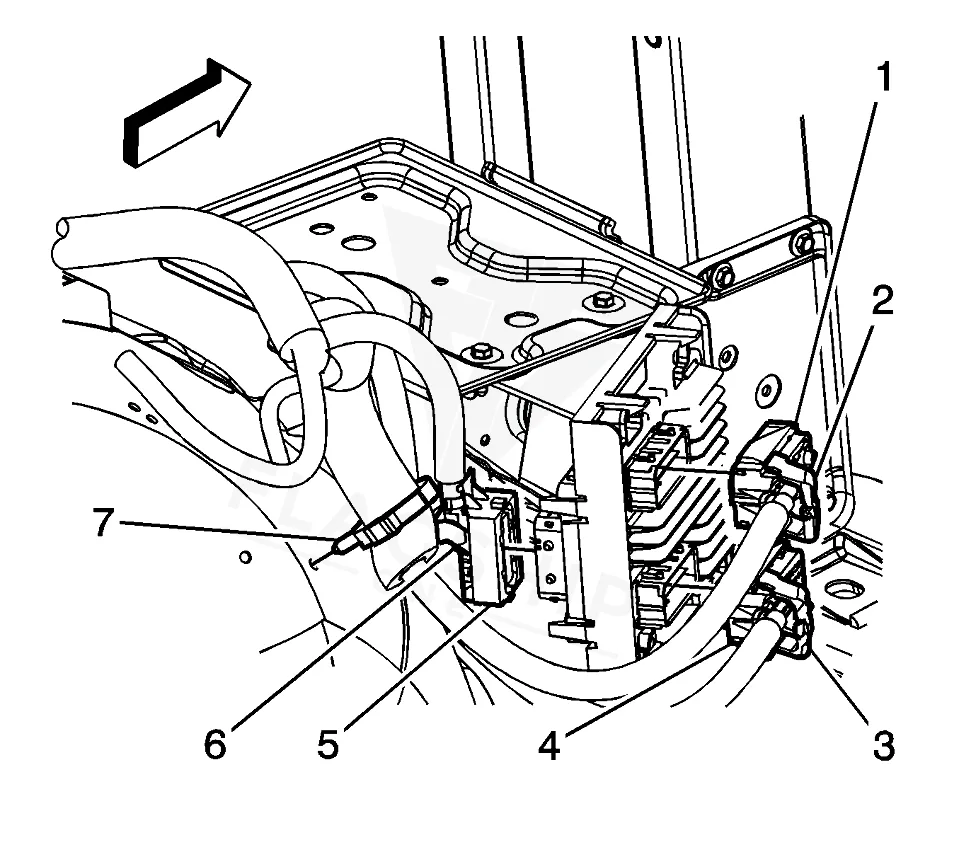
Work with the ignition off, and treat the module as static-sensitive: avoid touching the connector pins at any point.
| Operation | Configuration | Book Time |
|---|---|---|
| Powertrain Control Module R&R | Sierra 1500 | 1.4 hr |
| Powertrain Control Module R&R | Sierra 3500 HD | 1.4 hr |
| Powertrain Control Module R&R | Sierra 2500 HD | 1.4 hr |
| Powertrain Control Module Relearn | Sierra 1500 | 0.5 hr |
| Powertrain Control Module Relearn | Sierra 3500 HD | 0.5 hr |
| Powertrain Control Module Relearn | Sierra 2500 HD | 0.5 hr |
| Engine Control Module Relearn | Sierra 1500 | 0.5 hr |
| Engine Control Module Relearn | Sierra 3500 HD | 0.5 hr |
2008 GMC Sierra
OEM programmed ECM for your 2008 GMC Sierra — plug & play, no dealer visit.
Free shipping · Lifetime warranty
After replacing the ECM in your 2008 GMC Sierra, the factory requires a data transfer from the old module to the new one. This involves using a scan tool to capture and restore critical vehicle-specific information. Additionally, a clutch pedal position sensor (CPPS) learn procedure must be performed if the ECM or related components are replaced. These steps are already completed when you install a VIN-programmed replacement unit, eliminating the need for manual reprogramming and reducing the risk of errors or data loss during the process.
A failing ECM in your 2008 GMC Sierra may cause a variety of symptoms, including intermittent stalling, rough idling, or a no-start condition. You might also notice poor fuel economy, erratic shifting, or warning lights on the dashboard. Scan tool communication issues are common, as the module may fail to respond to diagnostic requests. Internal faults often trigger codes like internal control module memory checksum error, indicating a problem with the ECM’s memory or processor that requires attention to restore normal operation.
The 2008 GMC Sierra’s ECM may log specific trouble codes when internal faults occur. These codes help diagnose issues related to the module’s memory, processor, or communication systems. Addressing them promptly can prevent further drivability problems or potential damage to other components.
Factory service bulletin #PIP4224B, issued in April 2008, addresses the cancellation of part restrictions for the E-37 Engine Control Module (ECM). This bulletin clarifies that certain ECM replacements no longer require dealer-only programming, allowing for broader service options. Always verify the latest bulletin updates to ensure compliance with factory recommendations when replacing or reprogramming the module.
| Bulletin | Subject | What It Addresses |
|---|---|---|
| — | Cancellation of E-37 Engine Control Module (ECM) Part Restriction – (Apr 4, 2008) | — |
The relearn procedure synchronizes the new ECM with your vehicle’s sensors and systems. Without it, the module may not communicate properly with the transmission, fuel system, or emissions controls, leading to poor performance or drivability issues. The process typically takes 0.5 hours and ensures all components work together as intended.
Skipping the CPPS learn procedure may result in the starter motor engaging while the vehicle is in gear, posing a safety risk. The factory cautions against this to prevent personal injury or damage to the transmission or starter. Always follow the required steps after replacing the ECM or related components.
While the physical replacement is straightforward, the process requires capturing and restoring ECM data, performing a relearn, and ensuring proper synchronization with the vehicle’s systems. If you’re unfamiliar with scan tools or programming procedures, a professional technician can help avoid errors that may lead to further issues.
If your 2008 GMC Sierra’s ECM has failed, you have options for repair or replacement. While some choose to reflash or repair the existing module, a pre-programmed replacement unit ensures compatibility and eliminates the need for manual reprogramming. Consider the labor and programming requirements when deciding the best approach for restoring your vehicle’s performance.
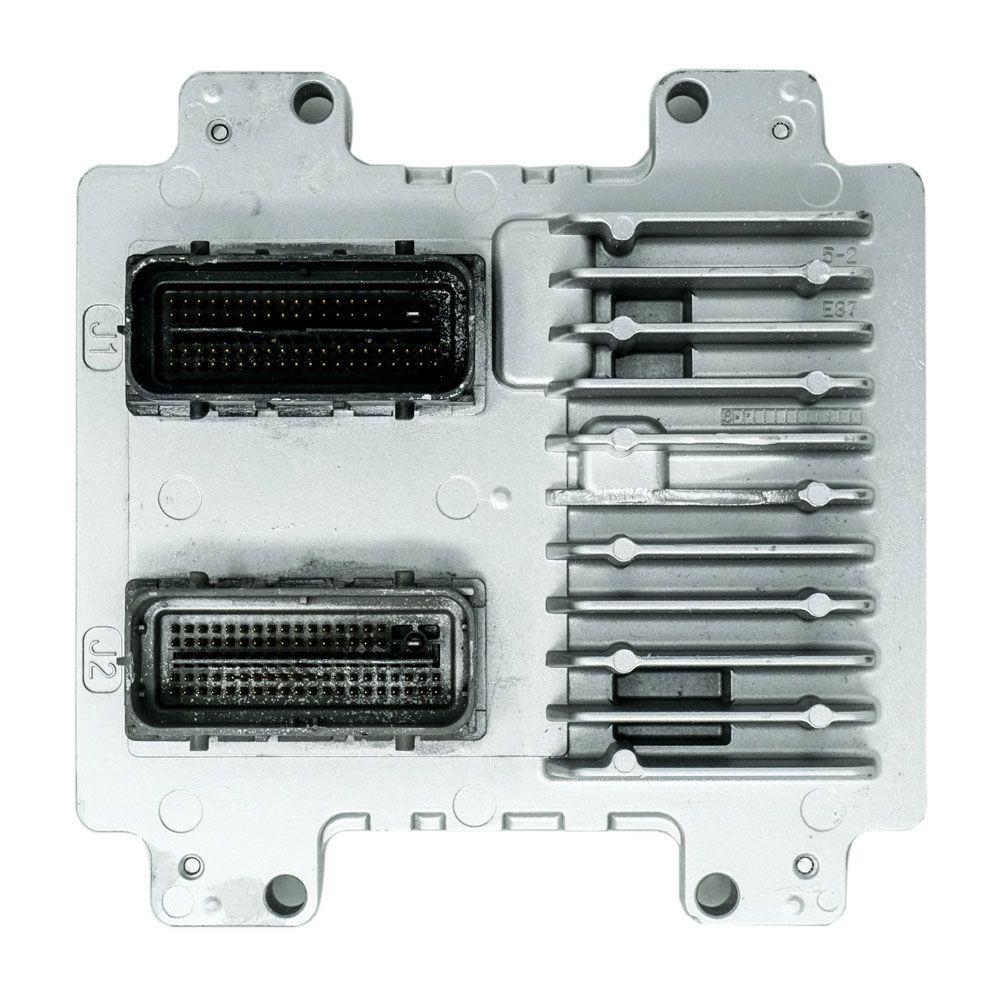
Flagship One stocks a refurbished, VIN-programmed PCM for the 2008 GMC Sierra with a lifetime warranty, free shipping and no core charge. The full GMC Sierra module lineup covers other engine configurations as well.
The 2008 GMC Sierra relies on its ECM to manage critical engine functions, and addressing failures promptly ensures reliable operation. Whether you opt for a repair or a replacement, understanding the process and factory requirements helps you avoid common pitfalls. With the right approach, your Sierra can continue to perform as expected for miles to come.