
Last updated on August 25th, 2026 at 01:27 pm
The powertrain control module (PCM) or engine control module (ECM) in your 2006 GMC Sierra manages fuel delivery, ignition timing, and emissions systems. Failures may cause erratic engine behavior, stored trouble codes, or complete no-start conditions.
If your 2006 GMC Sierra is experiencing unexplained stalling, rough idling, or a no-start condition, the powertrain control module (PCM) or engine control module (ECM) may be at fault. This small but critical computer manages engine performance, fuel efficiency, and emissions compliance. Replacing it involves more than just swapping hardware—proper programming and data transfer are essential to avoid further issues. Understanding the role of this module, common failure symptoms, and the steps involved in replacement can help you make informed decisions about repairs and avoid unnecessary downtime.
In your 2006 GMC Sierra, the powertrain control module (PCM) or engine control module (ECM) acts as the brain of the engine and transmission systems. It continuously monitors sensors to adjust fuel injection, ignition timing, and emissions controls for optimal performance. A failing module can disrupt these functions, leading to poor drivability or even a vehicle that won’t start. When replacement becomes necessary, choosing replacement engine computers for the Sierra ensures compatibility and proper functionality, but programming must align with your vehicle’s specific configuration to avoid further complications.
The PCM/ECM in your 2006 GMC Sierra is typically located near the engine bay or under the dashboard, depending on the model variant. Replacement involves disconnecting the battery, removing electrical connectors, and unbolting the module from its mounting bracket. Labor time for removal and reinstallation is consistently 1.4 hours across all Sierra models, including the 1500, 1500 HD, 2500 HD, and 3500. After installation, a 0.5-hour relearn procedure is required to synchronize the module with the vehicle’s systems. Always ensure the ignition is off before disconnecting or reconnecting the module to prevent internal damage.
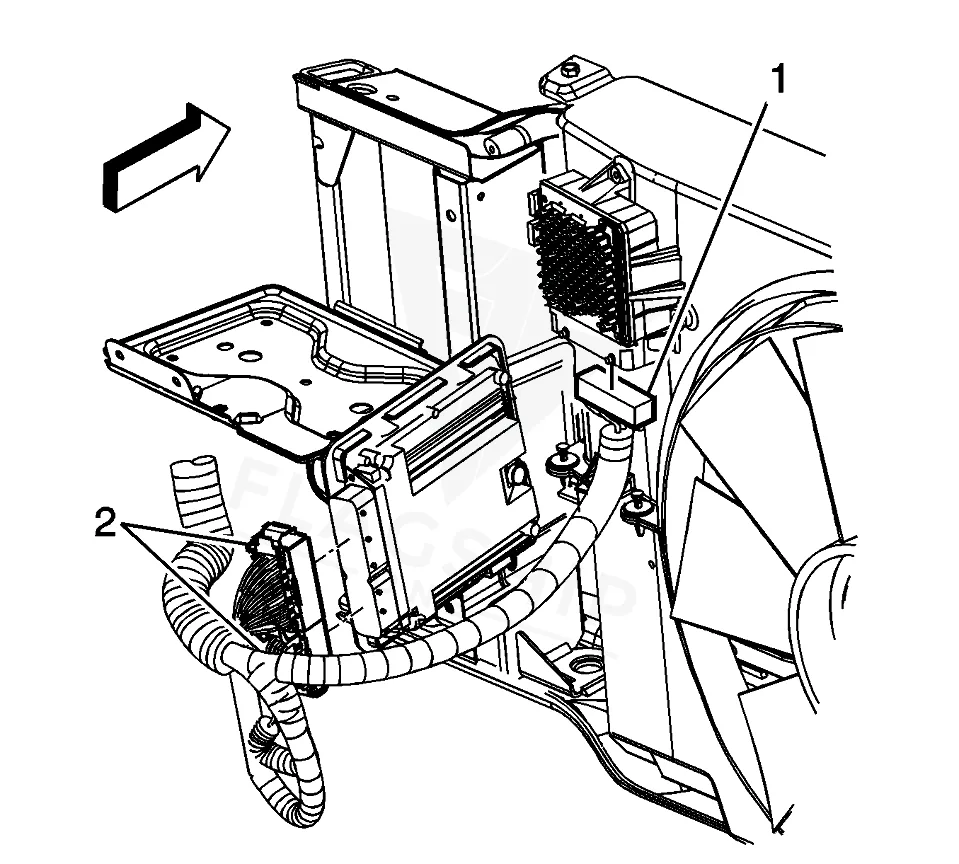
Work with the ignition off, and treat the module as static-sensitive: avoid touching the connector pins at any point.
| Operation | Configuration | Book Time |
|---|---|---|
| Powertrain Control Module R&R | Sierra 1500 HD | 1.4 hr |
| Powertrain Control Module R&R | Sierra 2500 HD | 1.4 hr |
| Powertrain Control Module R&R | Sierra 3500 | 1.4 hr |
| Powertrain Control Module R&R | Sierra 1500 | 1.4 hr |
| Powertrain Control Module Relearn | Sierra 1500 HD | 0.5 hr |
| Powertrain Control Module Relearn | Sierra 2500 HD | 0.5 hr |
| Powertrain Control Module Relearn | Sierra 3500 | 0.5 hr |
| Powertrain Control Module Relearn | Sierra 1500 | 0.5 hr |
2006 GMC Sierra
OEM programmed ECM for your 2006 GMC Sierra — plug & play, no dealer visit.
Free shipping · Lifetime warranty
After replacing the PCM/ECM in your 2006 GMC Sierra, the factory procedure requires capturing the original module’s data using a scan tool and restoring it to the new unit. This step ensures the module retains your vehicle’s specific calibrations and learned values. However, a VIN-programmed replacement unit arrives pre-configured with your Sierra’s data, eliminating the need for manual programming and reducing the risk of errors during installation. This streamlines the process and helps avoid potential drivability issues caused by incorrect or missing data.
A failing PCM/ECM in your 2006 GMC Sierra may cause a range of symptoms, including intermittent stalling, rough idling, or a complete no-start condition. You might also notice poor acceleration, misfires, or the check engine light illuminating with internal module codes. Common trouble codes associated with module failure include internal control module memory checksum error, which often indicates corrupted data or hardware issues. If your scan tool fails to communicate with the module, it may also point to a complete failure requiring replacement.
The 2006 GMC Sierra’s PCM/ECM may store specific internal trouble codes when the module experiences faults. These codes help diagnose issues related to memory corruption, communication errors, or hardware failures within the control unit itself.
Factory service bulletin #05-06-04-060 addresses powertrain control module (PCM), engine control module (ECM), and transmission control module (TCM) trouble codes P0601, P0602, P0603, P0604, and P1621 that may be shared across multiple modules. This bulletin provides diagnostic guidance for identifying and resolving these internal module faults, which can cause drivability issues or communication errors in your 2006 GMC Sierra.
| Bulletin | Subject | What It Addresses |
|---|---|---|
| 05-06-04-060 | Powertrain Control Module (PCM), Engine Control Module (ECM), Transmission Control Module (ECM) | — |
While physically replacing the module is straightforward, the process requires capturing and restoring the original module’s data to the new unit. This typically involves using a professional-grade scan tool, which may not be accessible to most DIYers. Additionally, a relearn procedure is necessary to ensure proper functionality.
The relearn procedure synchronizes the new module with your vehicle’s sensors, learned values, and adaptive strategies. Without it, the module may not operate correctly, leading to poor performance, shifting issues, or even a no-start condition. The factory specifies a 0.5-hour labor time for this step.
Failing to capture the original module’s data may result in the loss of vehicle-specific calibrations, such as fuel trims, transmission shift points, and emissions settings. This can lead to drivability issues, reduced fuel efficiency, or even damage to other components if the module operates with incorrect parameters.
If your 2006 GMC Sierra is experiencing PCM/ECM-related issues, you have options for repair or replacement. While a dealership may offer a new module, refurbished units can provide a cost-effective alternative without sacrificing reliability. Ensure any replacement unit is VIN-programmed to match your vehicle’s specifications, reducing the risk of post-installation complications and saving time during the process.
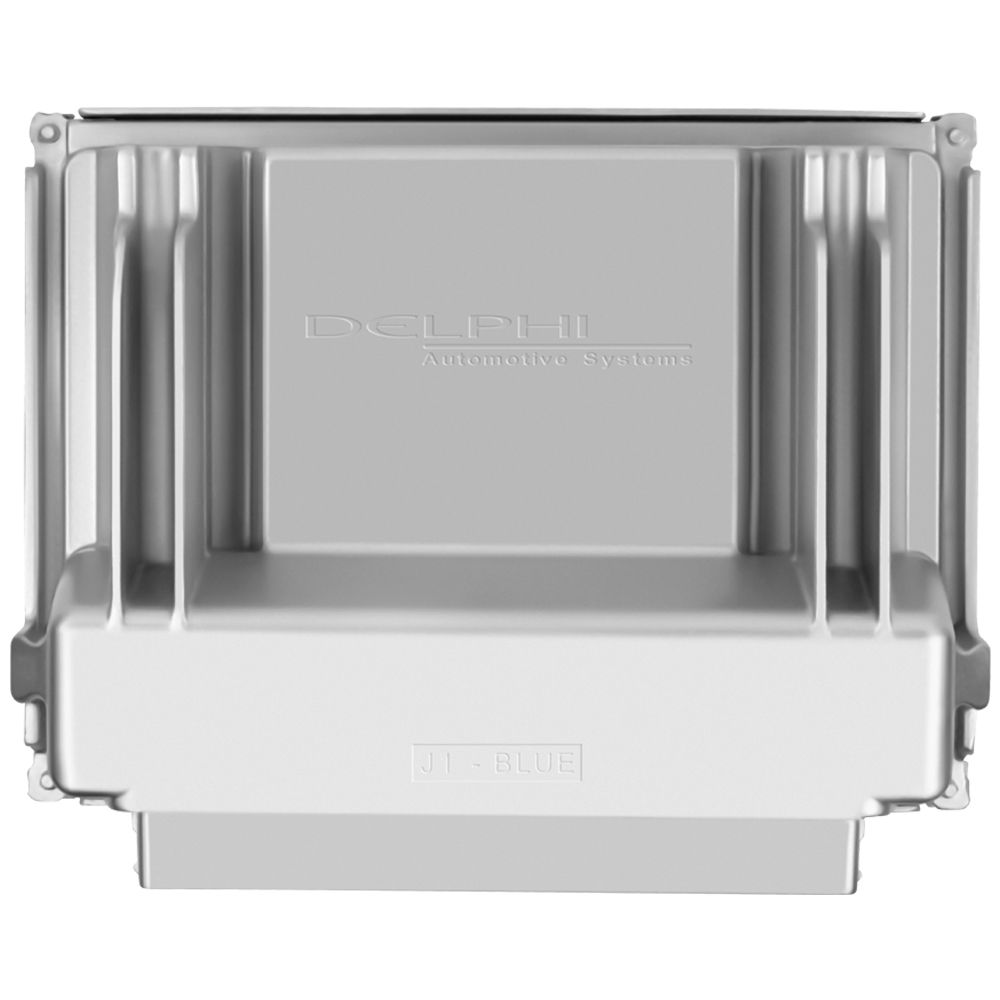
Flagship One stocks a refurbished, VIN-programmed PCM for the 2006 GMC Sierra with a lifetime warranty, free shipping and no core charge. The full GMC Sierra module lineup covers other engine configurations as well.
The PCM/ECM in your 2006 GMC Sierra plays a vital role in engine and transmission performance. Recognizing failure symptoms early and understanding the replacement process can help you avoid prolonged downtime. Whether you opt for a new or refurbished module, proper programming and installation are key to restoring your vehicle’s reliability and drivability.