
Last updated on August 25th, 2026 at 01:28 pm
The Powertrain Control Module (PCM) in your 2004 GMC Sierra manages engine and transmission functions. Failures may cause no-start conditions, erratic shifting, or stored internal trouble codes like P0601.
If your 2004 GMC Sierra is stalling, refusing to start, or throwing cryptic engine codes, the Powertrain Control Module (PCM) may be the culprit. This small but critical computer oversees everything from fuel delivery to transmission shifts. Replacing it isn’t just about swapping parts—there’s a precise procedure to follow, including preserving data like oil life and ensuring the new module communicates correctly with the rest of your vehicle. Understanding the process helps you avoid unnecessary downtime and ensures your Sierra runs as intended after the repair.
The PCM in your 2004 GMC Sierra acts as the brain for both the engine and transmission. It processes sensor inputs to control fuel injection, ignition timing, and shift points, ensuring optimal performance and efficiency. A failing PCM can disrupt these functions, leading to poor drivability or even a no-start condition. When replacement becomes necessary, replacement engine computers for the Sierra are designed to restore factory-level operation, but proper installation and programming are key to avoiding further issues.
The PCM in the 2004 GMC Sierra is typically mounted near the engine bay, though exact placement may vary slightly by model. Replacement involves disconnecting the battery, removing the electrical connector, and unbolting the module. Labor time for removal and reinstallation is 1.4 hours across all Sierra models, including the 1500, 2500, 2500 HD, and 3500. After installation, a 0.5-hour relearn procedure is required to synchronize the new module with the vehicle’s systems. Always ensure the ignition is off before disconnecting the PCM to prevent internal damage.
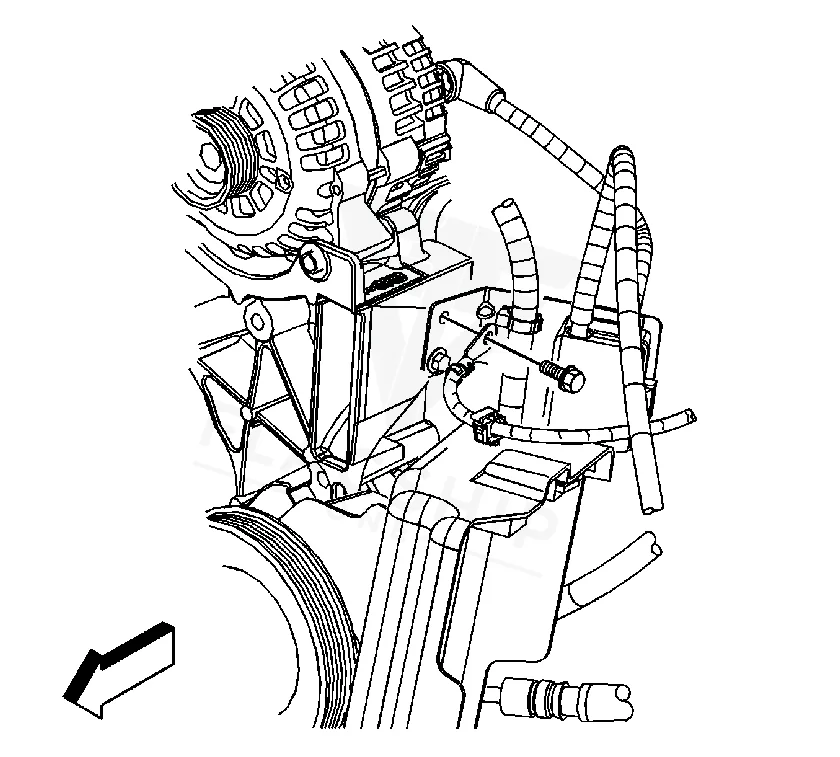
Work with the ignition off, and treat the module as static-sensitive: avoid touching the connector pins at any point.
| Operation | Configuration | Book Time |
|---|---|---|
| Powertrain Control Module R&R | Sierra 1500 | 1.4 hr |
| Powertrain Control Module R&R | Sierra 2500 | 1.4 hr |
| Powertrain Control Module R&R | Sierra 2500 HD | 1.4 hr |
| Powertrain Control Module R&R | Sierra 3500 | 1.4 hr |
| Powertrain Control Module Relearn | Sierra 1500 | 0.5 hr |
| Powertrain Control Module Relearn | Sierra 2500 | 0.5 hr |
| Powertrain Control Module Relearn | Sierra 2500 HD | 0.5 hr |
| Powertrain Control Module Relearn | Sierra 3500 | 0.5 hr |
2004 GMC Sierra
OEM programmed ECM for your 2004 GMC Sierra — plug & play, no dealer visit.
Free shipping · Lifetime warranty
After installing a new PCM in your 2004 GMC Sierra, the module must be programmed with the vehicle’s specific data, including the remaining engine oil life. If this step is skipped, the oil life monitor will default to 100%, potentially leading to premature or delayed oil changes. A VIN-programmed replacement unit arrives pre-configured with your Sierra’s data, eliminating the need for additional programming and reducing the risk of errors during installation.
A failing PCM in your 2004 GMC Sierra may cause a range of symptoms, from intermittent stalling to a complete no-start condition. You might also notice erratic shifting, poor fuel economy, or the check engine light illuminating with internal module codes. Common trouble codes include internal control module memory checksum error, which often indicates a hardware or software fault within the PCM. If your scan tool fails to communicate with the module, that’s another strong sign of PCM failure.
The 2004 GMC Sierra’s PCM may store specific internal trouble codes when it malfunctions. These codes typically point to hardware or software issues within the module itself, rather than external sensor or wiring problems.
Factory service bulletin #PIP3855 addresses issues with Duramax Diesel engines that throw a P0101 code after an ECM reflash. While this bulletin specifically targets diesel models, it highlights the importance of proper module programming and calibration after any software update or replacement. Always ensure the PCM is correctly configured for your Sierra’s engine and transmission to avoid drivability issues.
| Bulletin | Subject | What It Addresses |
|---|---|---|
| — | Duramax Diesel With A P0101 After ECM Reflash – (Mar 15, 2011) | — |
While it’s physically possible to replace the PCM, the process requires careful handling to avoid damaging the module or connectors. After installation, a relearn procedure is necessary to ensure proper communication with the vehicle’s systems. If you’re not comfortable with electrical work or programming, professional installation is recommended.
The relearn procedure synchronizes the new PCM with your Sierra’s transmission, engine sensors, and other modules. Without it, the vehicle may experience shifting issues, poor performance, or even fail to start. The process typically takes 0.5 hours and ensures all systems communicate correctly.
If the oil life percentage isn’t preserved during PCM replacement, the system will default to 100%. This may lead to delayed oil change reminders, potentially causing engine wear over time. Always check and record the oil life before swapping the module to maintain accurate maintenance intervals.
If your 2004 GMC Sierra is experiencing PCM-related issues, you have options. A repair may be possible for minor faults, but for internal failures like P0601 or P0603, a replacement is often the most reliable solution. Whether you choose a new or refurbished unit, ensure it’s programmed for your specific Sierra to avoid additional labor or programming costs.
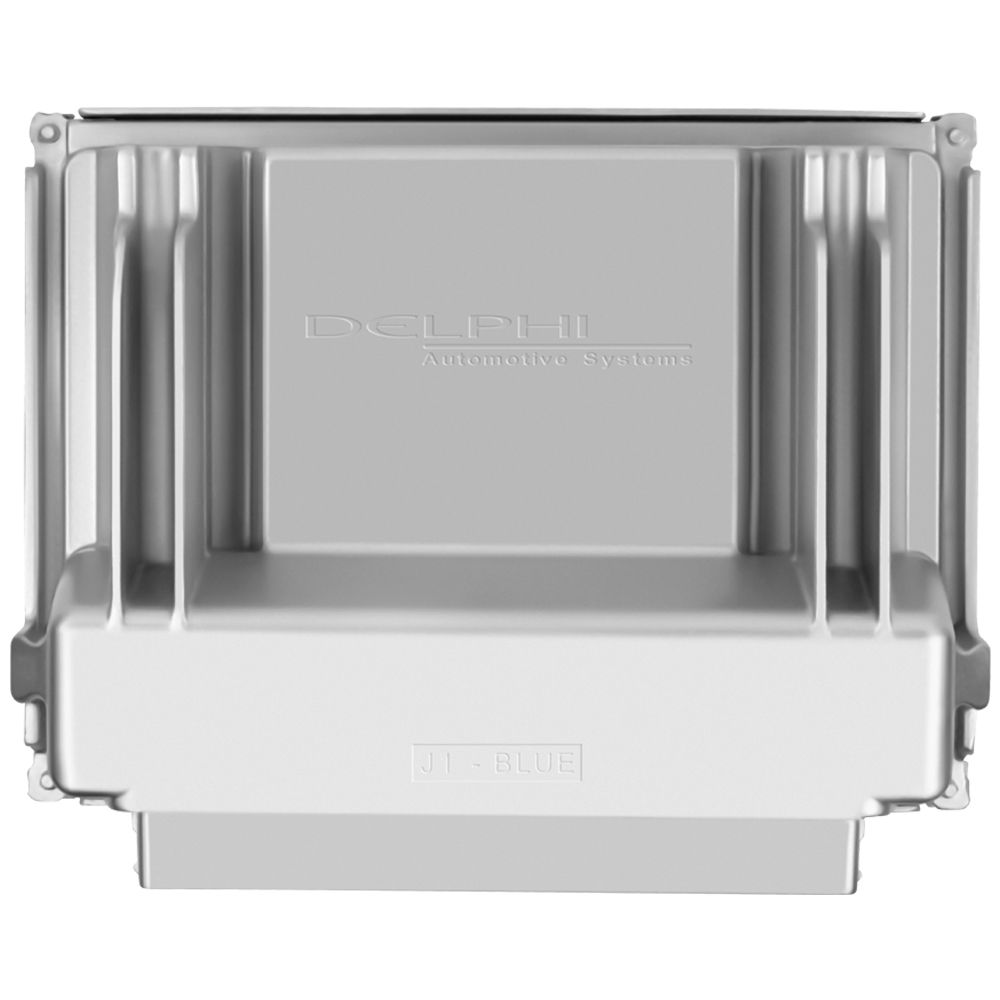
Flagship One stocks a refurbished, VIN-programmed PCM for the 2004 GMC Sierra with a lifetime warranty, free shipping and no core charge. The full GMC Sierra module lineup covers other engine configurations as well.
The 2004 GMC Sierra relies on its PCM to keep the engine and transmission running smoothly. If you’re facing symptoms like stalling, no-start conditions, or internal module codes, addressing the issue promptly can save time and frustration. With the right replacement and proper installation, your Sierra will be back on the road with minimal downtime.