
Last updated on August 25th, 2026 at 01:26 pm
In the 2011 GMC Yukon, the Powertrain Control Module (PCM) and Engine Control Module (ECM) manage engine timing, fuel delivery, and transmission shifting. A failure typically disrupts communication, triggers diagnostic codes, and can prevent the vehicle from starting or shifting correctly.
When a 2011 GMC Yukon experiences erratic idle, loss of power, or transmission shifts that feel rough, the underlying cause often lies in the vehicle’s control computers. Understanding how the PCM and ECM function, what symptoms signal a problem, and what steps are needed for a proper fix can help you decide whether to repair or replace these modules. This guide outlines the key facts, labor times, and precautions so you can make an informed choice for your Yukon.
The Powertrain Control Module in a 2011 GMC Yukon acts as the brain for both engine and transmission, interpreting sensor data to adjust fuel, spark and shift timing. It works together with the Engine Control Module, which focuses on engine‑specific functions like idle control and emissions. Proper operation is essential for smooth acceleration and fuel efficiency. Replacing these units often involves removing the original module and installing a new one, which may be described as replacement powertrain control modules for the 2011 GMC Yukon during the service.
The PCM and ECM are mounted within the engine compartment, accessible after disconnecting the battery and removing a few fasteners. Labor data indicate a removal and reinstall time of 1.4 hours for the PCM across Yukon variants, while the relearn process for both PCM and ECM adds an additional 0.5 hours. Technicians typically follow the factory steps to secure the module, reconnect wiring, and verify torque specifications if provided.
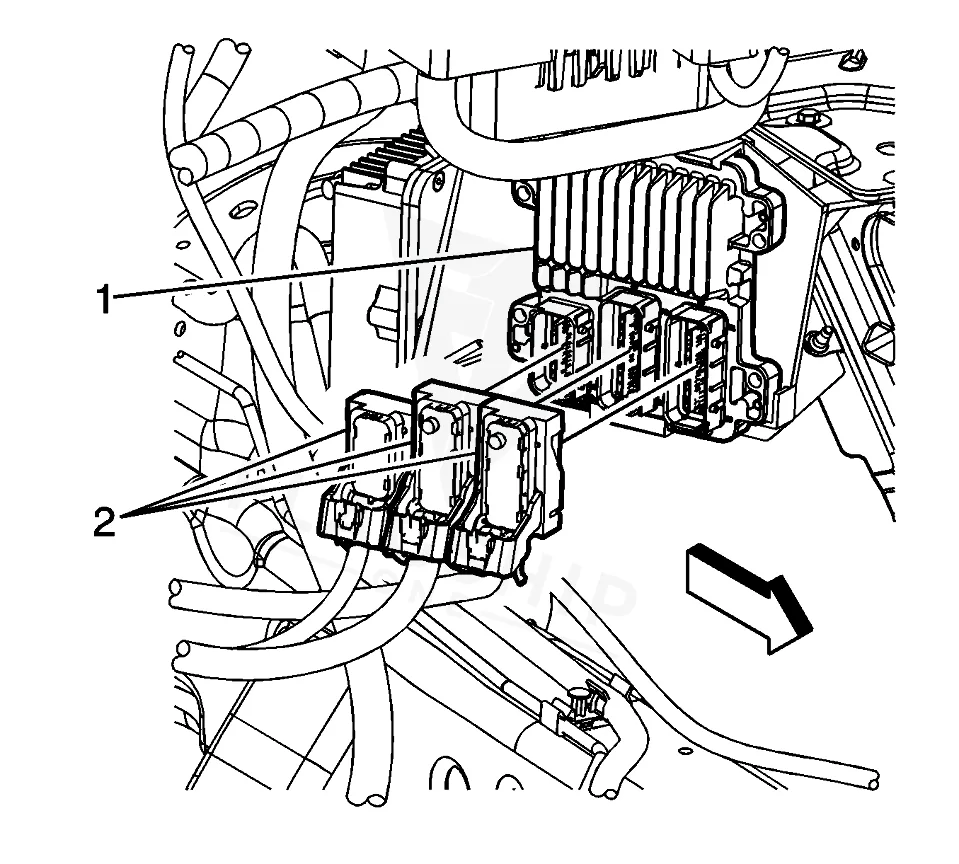
Work with the ignition off, and treat the module as static-sensitive: avoid touching the connector pins at any point.
| Operation | Configuration | Book Time |
|---|---|---|
| Powertrain Control Module R&R | Yukon | 1.4 hr |
| Powertrain Control Module R&R | Yukon XL 1500 | 1.4 hr |
| Powertrain Control Module R&R | Yukon XL 2500 | 1.4 hr |
| Powertrain Control Module Relearn | Yukon | 0.5 hr |
| Powertrain Control Module Relearn | Yukon XL 1500 | 0.5 hr |
| Powertrain Control Module Relearn | Yukon XL 2500 | 0.5 hr |
| Engine Control Module Relearn | Yukon | 0.5 hr |
| Engine Control Module Relearn | Yukon XL 1500 | 0.5 hr |
2011 GMC Yukon Powertrain and
OEM programmed replacements — plug & play, no dealer visit.
Find yours by year, make & model →
Free shipping · Lifetime warranty
After installing a new module, the factory procedure calls for a relearn of the PCM and ECM to sync with the vehicle’s sensors and calibrations. Flagship One supplies a a VIN‑programmed replacement unit that arrives already matched to your vehicle, so those relearn steps are completed at the factory and do not need to be performed on the shop floor.
Common signs of a failing PCM or ECM in a 2011 GMC Yukon include a no‑start condition, rough idle, unexpected stalling, and transmission shifting irregularities. Diagnostic scans often reveal stored codes such as Powertrain control module internal memory error which point directly to the control module’s internal fault.
The following diagnostic trouble codes are documented for the 2011 GMC Yukon and may appear when the PCM or ECM malfunctions:
Service bulletin #PIP4653D, dated June 20, 2012, lists DTCs P0601, P0603, P0604, P062F, and P1621 stored in the TCM as part of the known issues for this vehicle.
| Bulletin | Subject | What It Addresses |
|---|---|---|
| — | DTC’s P0601 P0603 P0604 P062F Or P1621 (Stored in the TCM) – (Jun 20, 2012) | — |
Factory labor guidelines estimate about 1.4 hours for removal and installation of the PCM on any Yukon model.
Yes, the correct programming tools and calibration files are required, but a VIN‑programmed replacement from Flagship One eliminates the need for on‑site programming.
Connecting aftermarket electrical or vacuum equipment at the 12 V battery rather than directly to the vehicle’s wiring helps prevent damage to the control modules.
When the PCM or ECM in your 2011 GMC Yukon fails, you can choose a repair that restores the original hardware or a refurbished replacement that meets factory specifications. Both paths aim to return reliable engine and transmission performance, and Flagship One’s VIN‑matched units simplify the process by removing the need for post‑install programming.
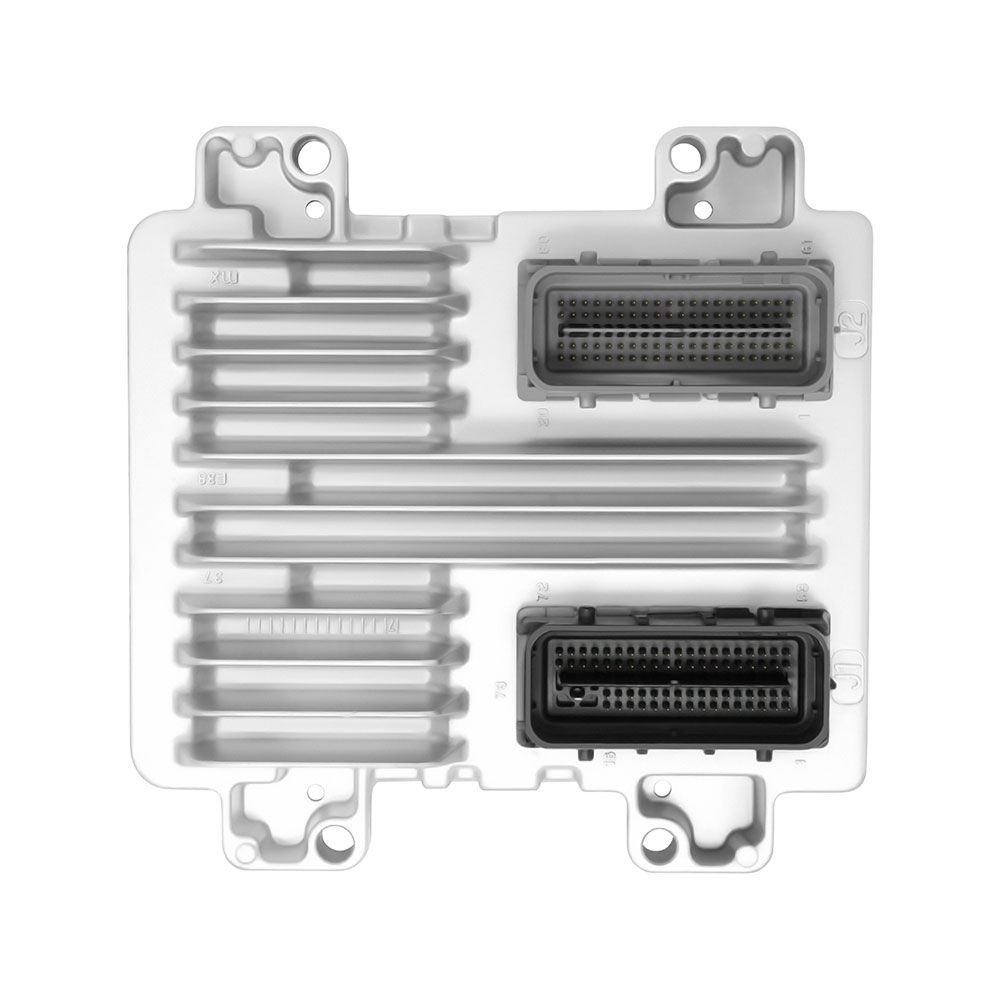
Flagship One stocks a refurbished, VIN-programmed PCM for the 2011 GMC Yukon with a lifetime warranty, free shipping and no core charge. The full GMC Yukon module lineup covers other engine configurations as well.
The 2011 GMC Yukon relies on its PCM and ECM for smooth operation; addressing failures promptly helps keep the vehicle dependable. Consider a Flagship One replacement to restore functionality with minimal downtime.