
Last updated on August 25th, 2026 at 11:46 am
The PCM in the 2019 Volkswagen Beetle manages engine timing, fuel delivery, and emissions. A failure can prevent ignition, cause misfires, or stop communication with diagnostic tools.
You’ve noticed your 2019 Volkswagen Beetle behaving oddly—perhaps it won’t start, stalls in traffic, or throws error codes. The culprit could be the vehicle’s powertrain control module (PCM). This guide explains why the PCM matters, where it sits, how to replace it, and what to expect from a Flagship One unit. You’ll learn the symptoms, common trouble codes, and practical steps to keep your Beetle running smoothly. By the end, you’ll understand the replacement process and how a VIN‑programmed unit can save time and avoid post‑install programming hassles.
The PCM in a 2019 Volkswagen Beetle coordinates engine functions such as spark timing, fuel injection, and emissions control. It also communicates with the instrument cluster and other modules. A malfunctioning PCM can cause the engine to misfire, refuse to start, or misbehave during shifts. replacement engine computers for the 2019 Volkswagen Beetle It is essential for safe, efficient operation and for meeting emission regulations. The PCM’s health directly affects performance, fuel economy, and drivability. When it fails, the vehicle may display fault codes, warning lights, or erratic behavior.
2019 Volkswagen Beetle
OEM programmed ECM for your 2019 Volkswagen Beetle — plug & play, no dealer visit.
Free shipping · Lifetime warranty
The PCM sits in the engine compartment on the front left side, close to the battery. Replacing it involves removing the cover panel, disconnecting the wiring harness, and unscrewing the unit. The job usually takes a few minutes for an experienced technician and does not require special tools beyond a standard socket set. The replacement unit must be mounted in the same orientation as the original, with connectors re‑attached to ensure proper communication with the rest of the vehicle’s electronics.
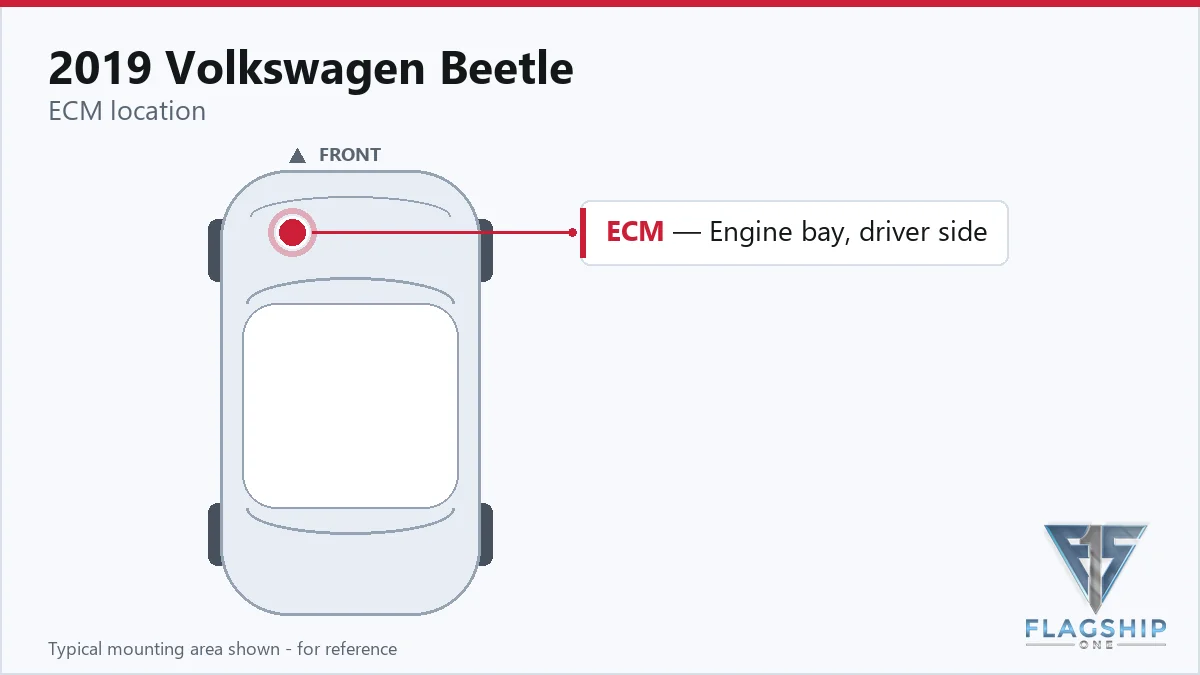
Work with the ignition off, and treat the module as static-sensitive: avoid touching the connector pins at any point.
After installing a new PCM, the factory procedure would normally require a calibration step to align the unit with your specific vehicle data. Flagship One’s VIN‑programmed units come pre‑aligned, so that calibration step is already complete. You can simply power on the vehicle and verify that the diagnostic codes have cleared and the engine runs normally. No additional programming tools or steps are necessary.
Every VIN-programmed replacement unit from Flagship One arrives with these steps already completed.
A failing PCM in the 2019 Volkswagen Beetle can manifest as a no‑start condition, intermittent stalling, or a hard‑to‑diagnose misfire that triggers P0602, P0604, or P0605. The engine may also produce a dead scan‑tool communication, meaning the diagnostic scanner cannot read data from the PCM. the PCM internal diagnostic failure If the PCM is compromised, you might see unusual shifting behavior, irregular idle, or a check‑engine light that does not clear.
The 2019 Volkswagen Beetle’s PCM can generate several internal trouble codes. These codes help pinpoint specific failures within the module’s logic or communication pathways.
Yes, the Flagship One unit is designed to match the specifications of the original PCM for the 2019 Volkswagen Beetle. It fits in the same location and uses the same connectors.
A P0604 code indicates an internal memory error. If the new PCM still shows this code, it may need to be reset or replaced again. Consult a technician for further diagnostics.
The physical replacement typically takes a few minutes for a skilled technician. No special tools are required beyond a standard socket set.
No. The Flagship One units arrive VIN‑programmed, so the calibration step is already completed. You can start the vehicle immediately after installation.
The new PCM is built to meet the same emissions standards as the original. It will manage fuel and exhaust control just like the factory unit.
Replacing a PCM can be a straightforward fix that restores reliable operation. If you prefer a quick solution, a refurbished PCM may be suitable. For a long‑term, factory‑grade replacement, a Flagship One unit offers the same performance with the added benefit of pre‑programming. Either option can bring your 2019 Volkswagen Beetle back to its expected performance.
Flagship One stocks a refurbished, VIN-programmed ECM for the 2019 Volkswagen Beetle with a lifetime warranty, free shipping and no core charge. The full Volkswagen Beetle module lineup covers other engine configurations as well.
Your 2019 Volkswagen Beetle deserves a dependable PCM to keep it running smoothly. A Flagship One replacement can address common failure symptoms and save you time on post‑install programming.