
Last updated on August 25th, 2026 at 01:25 pm
The engine control module (ECM) in your 2018 GMC Yukon manages fuel, spark, and emissions by processing sensor data. Failures may cause no-start conditions, erratic idling, or internal memory faults that trigger warning lights.
If your 2018 GMC Yukon has been stalling, misfiring, or throwing cryptic engine codes, the engine control module (ECM) may be the culprit. This small but critical computer governs everything from fuel injection to emissions controls. When it fails, symptoms can range from a simple check-engine light to a vehicle that won’t start at all. Understanding what the ECM does, where it’s located, and what replacement involves can save you time and frustration. You’ll also learn why factory procedures matter and how to avoid common pitfalls that lead to repeat failures.
The engine control module in your 2018 GMC Yukon is the brain behind the 5.3L V8’s performance. It processes data from sensors to optimize fuel delivery, ignition timing, and emissions systems, ensuring smooth operation and compliance with regulations. A faulty ECM may disrupt these functions, leading to poor drivability or even a no-start condition. If replacement becomes necessary, replacement engine computers for the Yukon are designed to restore factory-level performance without the guesswork of used or unprogrammed units.
The ECM in your 2018 GMC Yukon is mounted on the engine’s left side, secured by a bracket and accessible after removing the wheelhouse liner. Replacement involves disconnecting the battery, unplugging the module’s connectors, and removing two bolts: one for the ECM bracket and another for the battery tray. The factory specifies 80 lb-in of torque for both bolts. Labor time for removal and reinstallation is typically 0.6 hours, with an additional 0.5 hours required for the relearn procedure to synchronize the module with the vehicle’s systems.
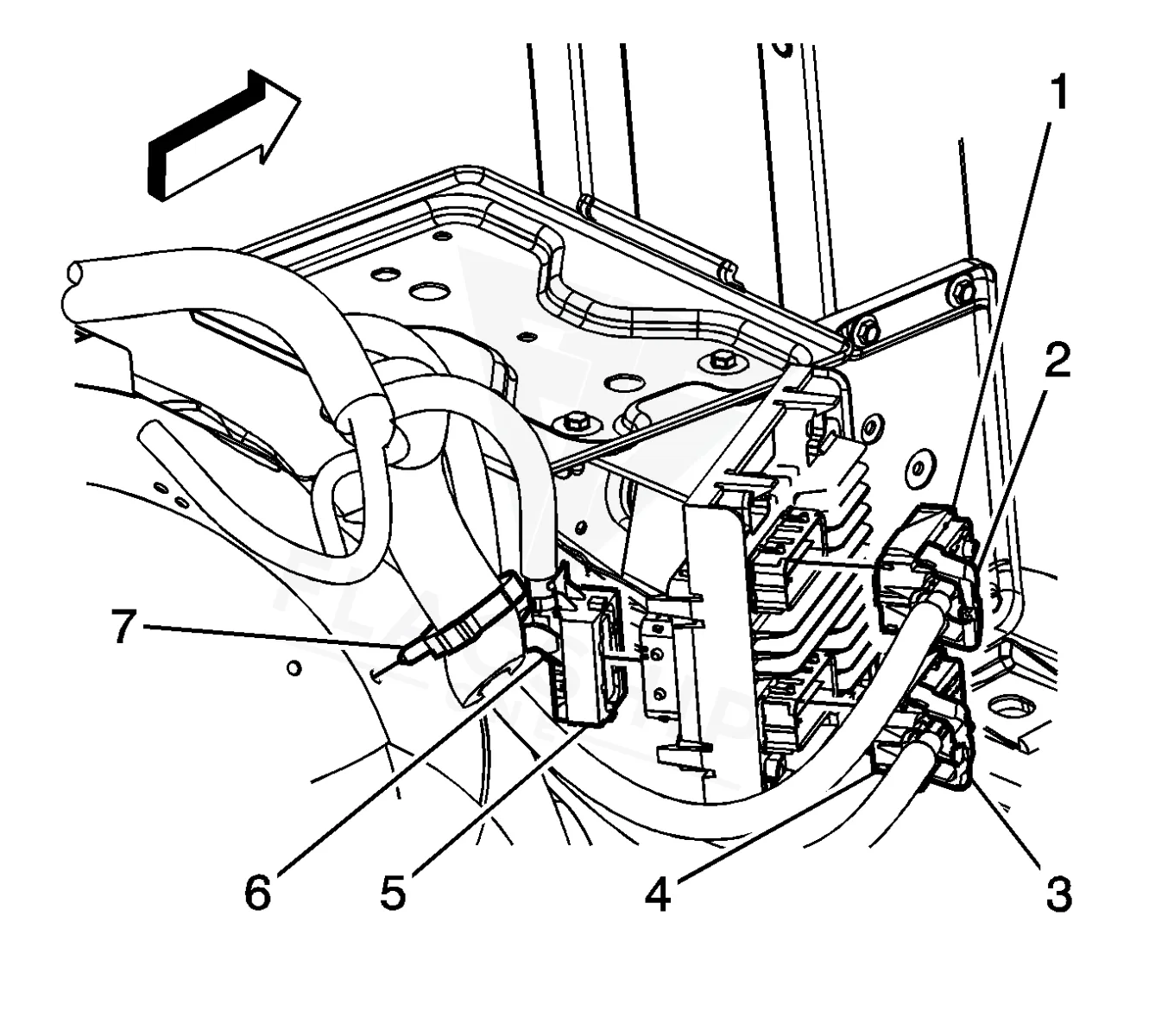
Work with the ignition off, and treat the module as static-sensitive: avoid touching the connector pins at any point.
| Operation | Configuration | Book Time |
|---|---|---|
| Powertrain Control Module R&R | All configurations | 0.6 hr |
| Powertrain Control Module Relearn | All configurations | 0.5 hr |
| Engine Control Module Relearn | All configurations | 0.5 hr |
| Engine Control Module Reset | All configurations | 0.3 hr |
| Engine Control Module R&R | All configurations | 0.6 hr |
2018 GMC Yukon 5.3L: When Your
OEM programmed replacements — plug & play, no dealer visit.
Find yours by year, make & model →
Free shipping · Lifetime warranty
After replacing the ECM in your 2018 GMC Yukon, the factory requires a relearn procedure to ensure proper communication with the vehicle’s sensors and systems. This step, which typically takes 0.5 hours, resets adaptive values and calibrates the module. However, a VIN-programmed replacement unit arrives pre-configured, eliminating the need for on-site programming and reducing the risk of calibration errors. Always capture ECM data with a scan tool before removal to preserve vehicle-specific settings.
A failing ECM in your 2018 GMC Yukon may cause a range of issues, from intermittent stalling to persistent check-engine lights. Common symptoms include rough idling, poor acceleration, or the vehicle entering a reduced-power mode. Internal memory faults, such as ECM memory performance error, often indicate corruption within the module’s software or hardware. In some cases, the scan tool may fail to communicate with the ECM entirely, leaving you with limited diagnostic options until the module is replaced or reprogrammed.
The 2018 GMC Yukon’s ECM is associated with several internal trouble codes that point to hardware or software faults. These codes often appear when the module’s memory or processing capabilities are compromised.
| Code | Meaning | Full Guide |
|---|---|---|
| P0601 | Internal memory checksum error | Full P0601 guide → |
| P0602 | Control module programming error | Full P0602 guide → |
| P0603 | Keep-alive memory (KAM) error | Full P0603 guide → |
| P0604 | Internal RAM error | Full P0604 guide → |
| P0606 | Module processor failure | Full P0606 guide → |
| P0607 | Module performance fault | Full P0607 guide → |
| P060A | Module-internal fault | — |
| P062B | Module-internal fault | — |
| P062F | Internal EEPROM error | Full P062F guide → |
| P0630 | Module-internal fault | Full P0630 guide → |
Factory service bulletin #PIP5373B addresses programming errors E4491 and E4423, which may occur during ECM updates. Bulletin #17-NA-242 outlines changes to the Service Programming System (SPS) that warn or prohibit reprogramming a module with its existing calibration. These bulletins highlight the importance of following updated procedures to avoid calibration conflicts or incomplete updates during ECM service.
| Bulletin | Subject | What It Addresses |
|---|---|---|
| — | Program ECM Error E4491/E4423 – (Jun 11, 2018) | — |
| — | Information on Changes to SPS that Warn/Prohibit Reprogramming a Module With Its Current Calibr | — |
A P0601 code often indicates an ECM memory performance issue, which can occur if the battery is disconnected for an extended period or if voltage drops during replacement. The module may lose adaptive values, requiring a relearn procedure to restore proper function. In some cases, the code may persist until the ECM is reset or replaced.
If the ECM is throwing internal memory codes like P0601 or P0606, reprogramming may resolve the issue if the hardware is intact. However, if the module fails to communicate with the scan tool or exhibits repeated faults after reprogramming, replacement is typically the next step. A pre-programmed unit can simplify the process.
While the vehicle may still run with an ECM code, driving with unresolved faults can lead to poor performance, reduced fuel efficiency, or even a no-start condition. Some codes may also trigger a reduced-power mode, limiting acceleration. It’s best to address ECM issues promptly to avoid further complications.
When the ECM in your 2018 GMC Yukon fails, you have options beyond costly dealer visits. A refurbished replacement unit, pre-programmed to your vehicle’s VIN, can restore functionality without the wait or expense of a new module. Labor time is minimal, and the relearn process is streamlined, making this a practical solution for most owners.
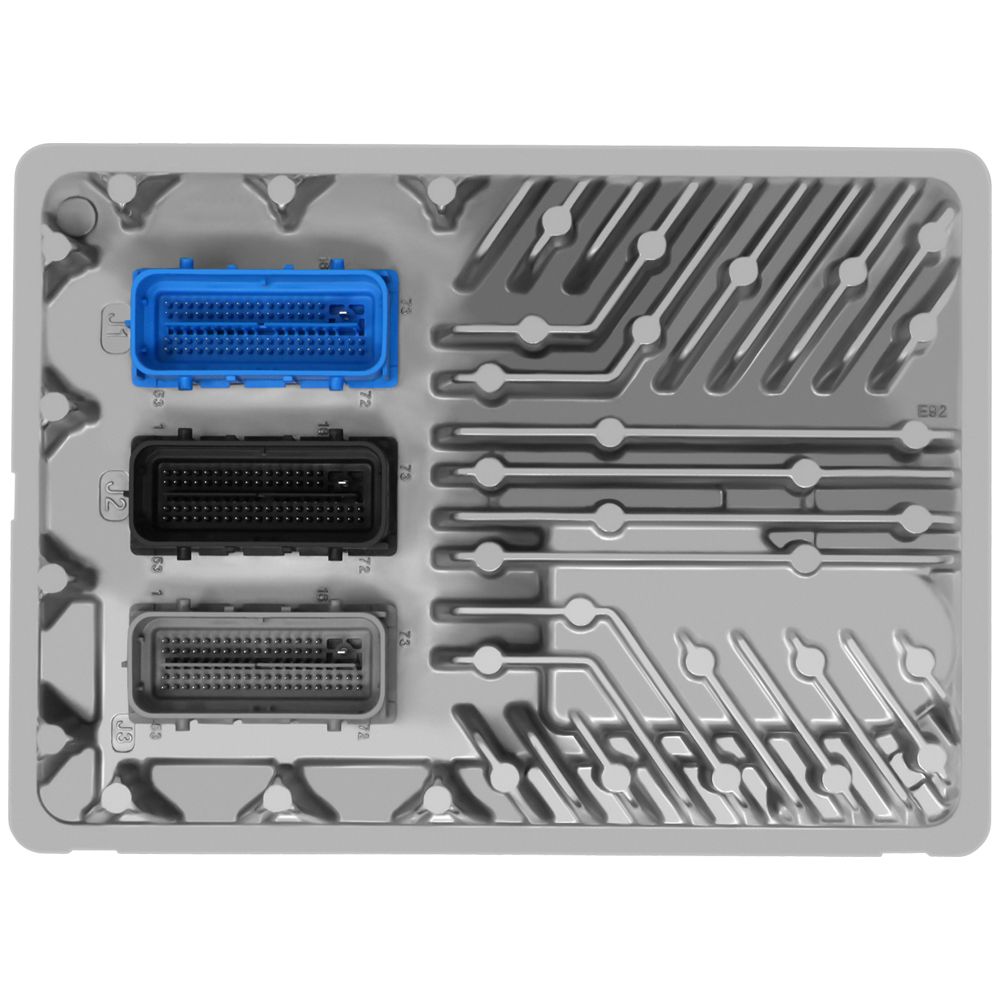
Flagship One stocks a refurbished, VIN-programmed PCM for the 2018 GMC Yukon with a lifetime warranty, free shipping and no core charge. The full GMC Yukon module lineup covers other engine configurations as well.
The 2018 GMC Yukon’s ECM is a vital component that ensures smooth engine operation. If you’re experiencing stalling, misfires, or internal trouble codes, addressing the issue promptly can prevent further drivability problems. Whether you opt for reprogramming or replacement, understanding the process helps you make an informed decision and get back on the road with confidence.