
Last updated on August 25th, 2026 at 12:17 pm
The Powertrain Control Module (PCM) in the 2004 Chevrolet Venture manages engine and transmission functions. Failure may cause stalling, misfires, or a no-start condition, often triggered by electrical issues or internal faults.
If your 2004 Chevrolet Venture is experiencing unexplained stalling, rough idling, or a no-start condition, the Powertrain Control Module (PCM) may be at fault. This critical component acts as the brain of your vehicle’s engine and transmission, regulating fuel delivery, ignition timing, and shift points. When it fails, symptoms can range from subtle performance issues to complete immobilization. Replacing the PCM involves more than just swapping parts—it requires precise programming to ensure the new module communicates correctly with the rest of the vehicle’s systems. Understanding the process, labor times, and potential pitfalls can help you make an informed decision, whether you’re considering a repair or a replacement. This guide covers what the PCM does, where it’s located, common failure signs, and steps to prevent future issues in your Venture.
The Powertrain Control Module (PCM) in the 2004 Chevrolet Venture is responsible for managing the engine and transmission systems. It processes data from sensors throughout the vehicle to optimize fuel injection, ignition timing, and shift points for smooth operation. Without a functioning PCM, your Venture may struggle to start, run inefficiently, or even stall unexpectedly. This module is particularly important in vehicles with automatic transmissions, as it ensures seamless gear changes and prevents drivability issues. If the PCM fails, you may notice symptoms like poor acceleration, erratic shifting, or warning lights on the dashboard. Replacing it involves installing replacement engine computers for the Venture, which must be programmed to match your vehicle’s specifications. The PCM’s role is so integral that even minor faults can disrupt the entire powertrain, making timely diagnosis and repair essential for reliable performance.
In the 2004 Chevrolet Venture, the PCM is positioned next to the air cleaner assembly, making it relatively accessible for replacement. The factory removal procedure involves disconnecting the battery, removing the air cleaner housing, and unplugging the module’s electrical connectors. Once the old unit is removed, the new PCM is installed in the same location and secured. Labor time for removing and replacing the module is typically 1.1 hours, according to book estimates. After installation, a 0.5-hour relearn procedure is required to ensure the PCM synchronizes with the vehicle’s systems. This step is critical—skipping it may result in poor performance or even a no-start condition. The process is straightforward but requires attention to detail, particularly when reconnecting electrical components to avoid damage or miscommunication.
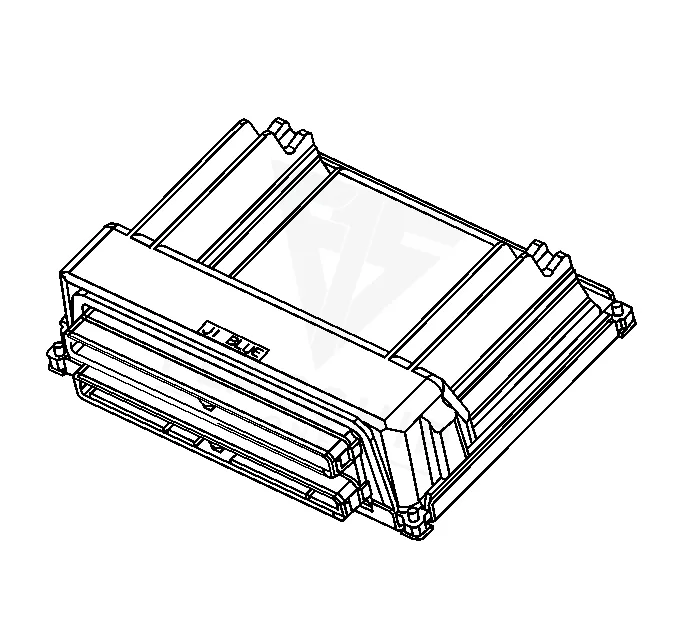
Work with the ignition off, and treat the module as static-sensitive: avoid touching the connector pins at any point.
| Operation | Configuration | Book Time |
|---|---|---|
| Engine Control Module R&R | All configurations | 1.1 hr |
| Engine Control Module Relearn | All configurations | 0.5 hr |
| Powertrain Control Module R&R | All configurations | 1.1 hr |
| Powertrain Control Module Relearn | All configurations | 0.5 hr |
2004 Chevrolet Venture
OEM programmed ECM for your 2004 Chevrolet Venture — plug & play, no dealer visit.
Free shipping · Lifetime warranty
After replacing the PCM in your 2004 Chevrolet Venture, the factory procedure requires a programming step to ensure the new module functions correctly. This involves using a Tech 2 scan tool to perform an Off-Board Programming process, where the module is calibrated to your vehicle’s VIN and specifications. The process is delicate—interrupting it or turning off the ignition prematurely may cause the module to fail, requiring a restart. However, if you opt for a VIN-programmed replacement unit, this step is already completed before installation. This eliminates the risk of programming errors and saves time, as the module arrives ready to communicate with your Venture’s systems. Factory cautions emphasize that programming should only be done when directed by a service procedure or bulletin, as unnecessary attempts may not resolve underlying issues.
When the PCM in your 2004 Chevrolet Venture begins to fail, you may notice a range of symptoms that affect drivability and performance. Common signs include intermittent stalling, especially at idle or during deceleration, as the module struggles to maintain proper fuel and ignition timing. Misfires may also occur, often accompanied by a rough or uneven idle, which can trigger the check engine light. In some cases, the vehicle may refuse to start entirely, leaving you stranded. Diagnostic trouble codes related to the PCM, such as internal control module memory checksum error, frequently appear during a scan, indicating a fault within the module itself. Other symptoms may include erratic shifting in the transmission, poor fuel economy, or even the engine running excessively rich or lean. If your Venture exhibits any of these issues, it’s worth investigating the PCM as a potential cause, particularly if no other mechanical problems are found.
The 2004 Chevrolet Venture’s PCM can generate a variety of trouble codes when internal faults occur. These codes often point to issues with memory, communication, or sensor processing within the module itself. Addressing them promptly can prevent further drivability problems.
General Motors has issued several service bulletins relevant to the 2004 Chevrolet Venture’s PCM and related systems. Bulletin #07-00-89-043 addresses warranty administration for parts and components, including control module calibrations, emphasizing the use of GM-issued parts to avoid potential issues. Another bulletin, #06-06-04-037, explains the normal behavior of the Malfunction Indicator Lamp (MIL) during OBD inspections, which may help owners understand when the light is functioning as intended versus signaling a problem. Additionally, #06-06-04-046 provides information on engine misfire-related codes, such as P0300 or P0420, which may illuminate the MIL or Service Engine Soon light. These bulletins serve as guidance for technicians and owners alike, offering context for common symptoms and recommended actions.
| Bulletin | Subject | What It Addresses |
|---|---|---|
| 07-00-89-043 | Warranty Admin. – Use of Parts and Components (Including Control Module Calibrations) Not Issue | — |
| 06-06-04-037 | Info – Normal Characteristics of Malfunction Indicator Lamp (MIL) During On-Board Diagnostic (O | — |
| 06-06-04-046 | Information on Engine Misfire MIL/SES Light Illuminated or Flashing DTC P0300, P0301, P0302, P0 | — |
Stalling after a PCM replacement often occurs if the module wasn’t properly programmed or relearned. The vehicle may also stall if the new PCM isn’t calibrated to your Venture’s specific engine and transmission setup. A relearn procedure is typically required to synchronize the module with the rest of the vehicle’s systems.
While your Venture may still run with a P0601 code, it’s not advisable to ignore it. This code indicates an internal memory error in the PCM, which can lead to unpredictable behavior, such as stalling or poor performance. Addressing it promptly can prevent further issues.
Common signs of a failing PCM include stalling, misfires, a no-start condition, or the check engine light illuminating with module-related codes. If your Venture exhibits these symptoms and no other mechanical issues are found, the PCM may be the culprit.
Skipping the reprogramming step after replacing the PCM can result in poor performance, stalling, or even a no-start condition. The module must be calibrated to your Venture’s VIN and specifications to function correctly. Factory procedures require this step to avoid drivability issues.
While the PCM is accessible near the air cleaner assembly, replacement involves more than just swapping the unit. You’ll need to perform a relearn procedure and ensure proper programming, which may require specialized tools. If you’re not comfortable with these steps, it’s best to have a professional handle the job.
If your 2004 Chevrolet Venture is experiencing PCM-related issues, you have options for repair or replacement. A refurbished or new module can restore reliable performance, but it’s important to choose one that’s already programmed to your vehicle’s specifications. This eliminates the risk of programming errors and ensures a smoother installation process. Whether you opt for a DIY approach or professional installation, addressing the PCM promptly can prevent further drivability problems and keep your Venture running smoothly.
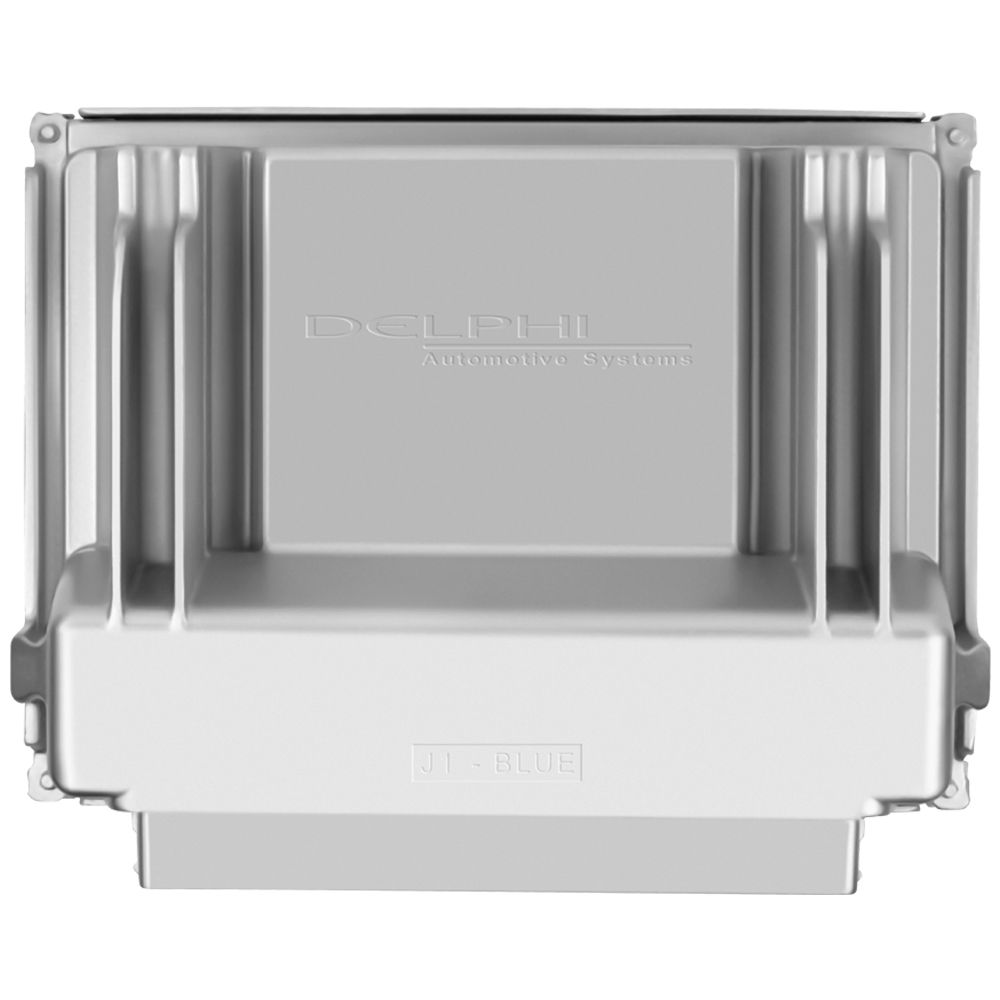
Flagship One stocks a refurbished, VIN-programmed PCM for the 2004 Chevrolet Venture with a lifetime warranty, free shipping and no core charge. The full Chevrolet Venture module lineup covers other engine configurations as well.
The Powertrain Control Module is a critical component in your 2004 Chevrolet Venture, managing engine and transmission functions to ensure reliable performance. If you’re experiencing stalling, misfires, or a no-start condition, the PCM may be the root cause. Replacing it involves careful installation and programming, but with the right approach, you can restore your Venture’s drivability. Whether you choose to tackle the job yourself or seek professional help, addressing PCM issues promptly will keep your minivan running smoothly for miles to come.